Connection
Hire2Retire connects to NinjaOne using OAuthClientCred Authentication. Please refer to the document NinjaOne API documentation to know more about OAuth Authentication in NinjaOne.
We, at RoboMQ, pay utmost attention to keep your account secure. See our Security and Privacy Policies to learn more about how RoboMQ handles your account access.
Link NinjaOne account on Hire2Retire
To integrate the NinjaOne Public API with a machine-to-machine (M2M) application, you must first register your app within the NinjaOne web application. These apps may include non-interactive apps, such as command-line tools, daemons, IoT devices, or services running on your back-end.
Step 1 Go to Configuration > Apps > API > Client App IDs and click the Add button on the right.
Step 2 Select API Services (machine-to-machine)
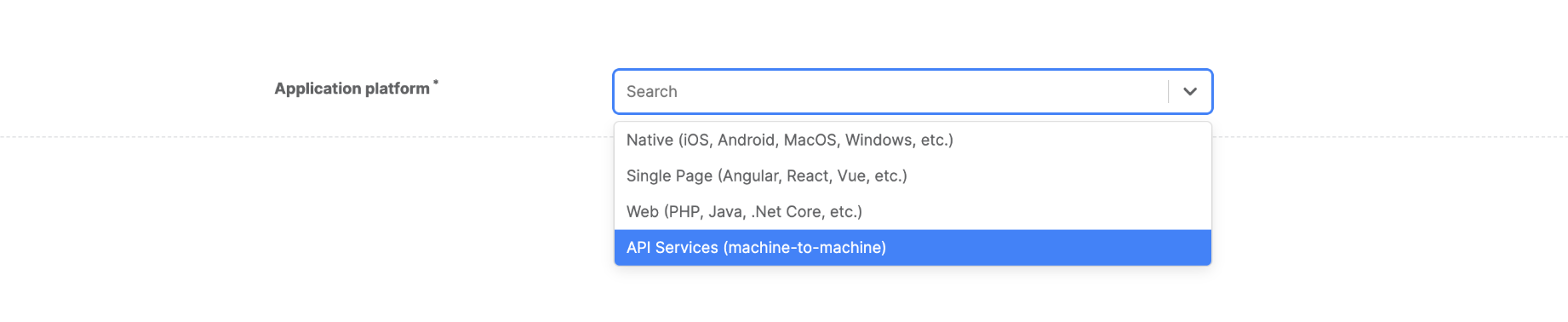
Step 3 Enter information about the application settings.
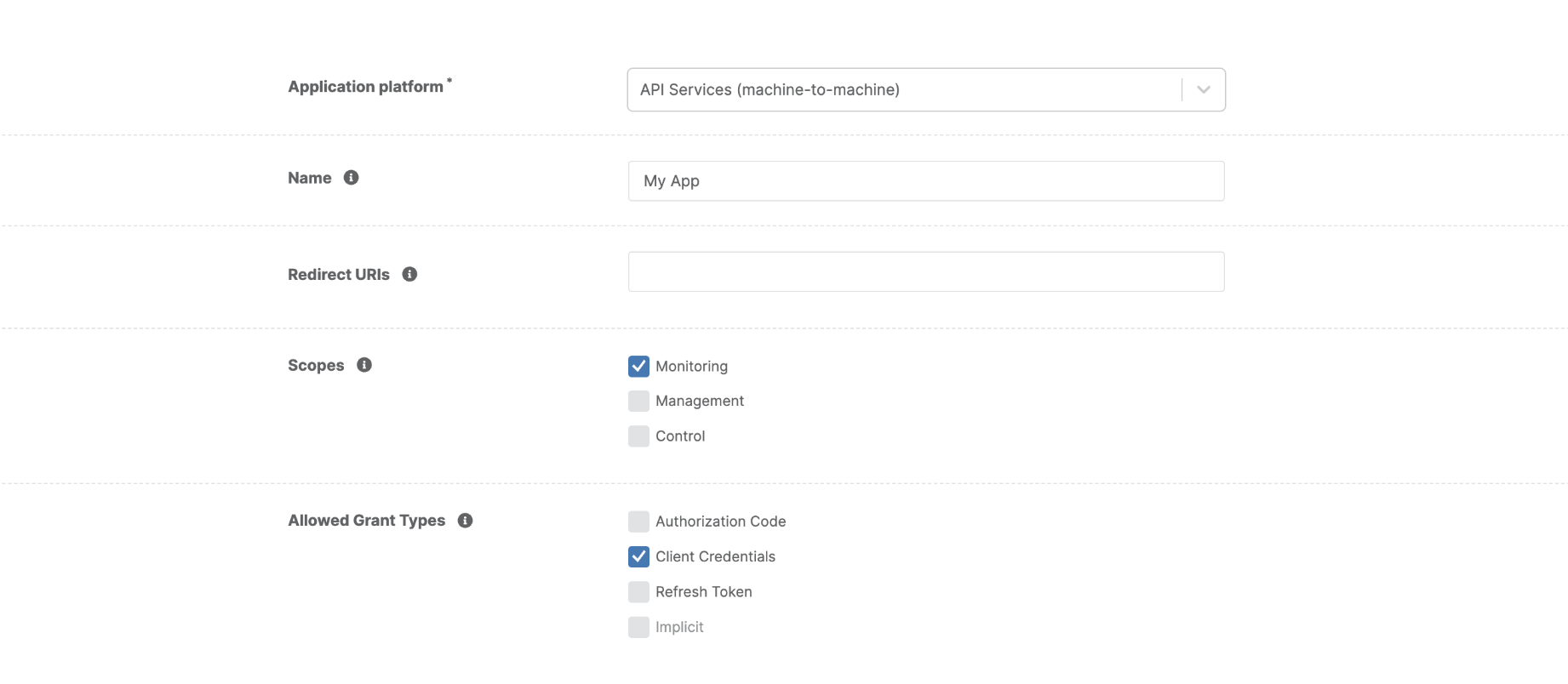
API Service Application Attributes
- Name: defines the name of your application. This will display in the application list and in the consent screen.
-
Redirect URIs: a set of URLs to which NinjaOne is allowed to redirect users after they authenticate. This can be left empty since the flow does not have user interaction.
-
Scopes: a list of NinjaOne API resources.
-
Allowed Grant Types: defines the authentication process for your application. They are available based on the application platform.
Client Credentialsis the appropriate grant type for the API services application platform. You can enable or disable as needed.
Once you have registered and configured your application, please visit Client Credentials Flow where you'll find detailed instructions for the authentication process.
Step 5 Connect NinjaOne in Hire2Retire
Enter the Client ID and the Client Secret generated by the NinjaOne app on the connection screen in Hire2Retire.
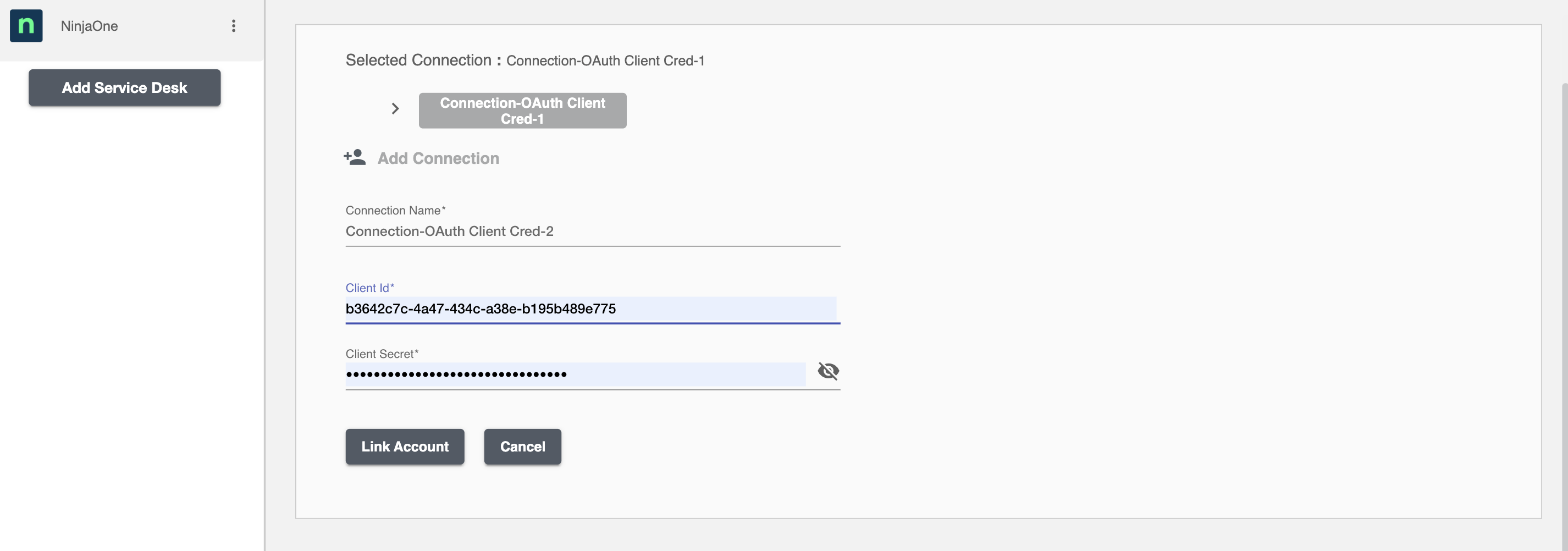
Save the connection to complete setup.