Create Incident
The ServiceNow App on Hire2Retire enables automatic incident creation in ServiceNow whenever an employee lifecycle operation, such as hiring, onboarding, role change, leave, or termination, is performed within Hire2Retire. This integration streamlines internal processes by creating incidents in ServiceNow based on employee lifecycle events. It improves coordination between HR operations and service teams. It streamlines last-mile provisioning within ServiceNow, improving the first-day experience for new hires.
Create Incident
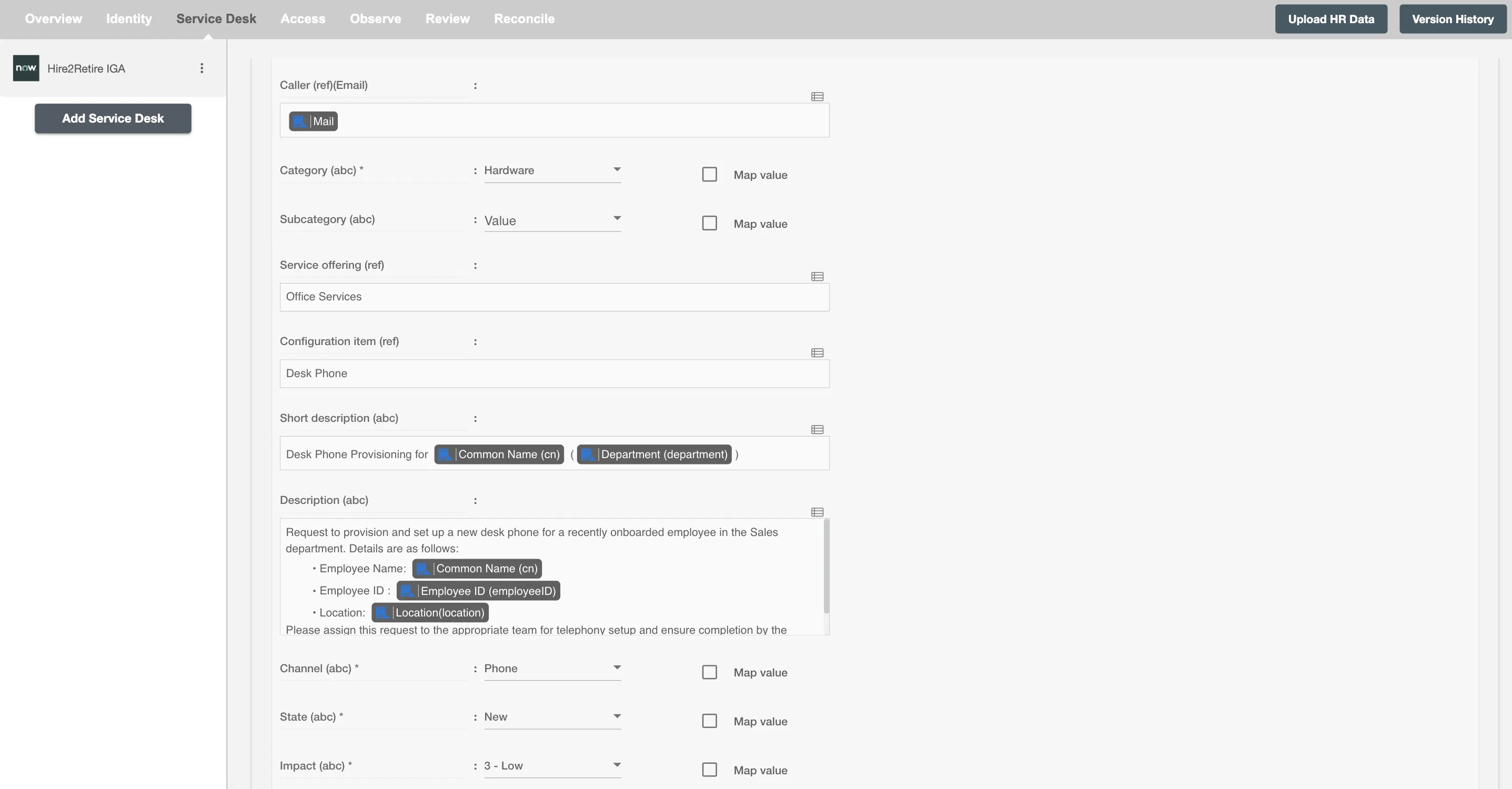
You can configure Hire2Retire to create incidents for any lifecycle event. You can define policies based on user roles or attributes. For example, create an incident in ServiceNow that is assigned to the Office Supplies team to provide a desk phone to employees hired in the Sales department or whose department changes to Sales.
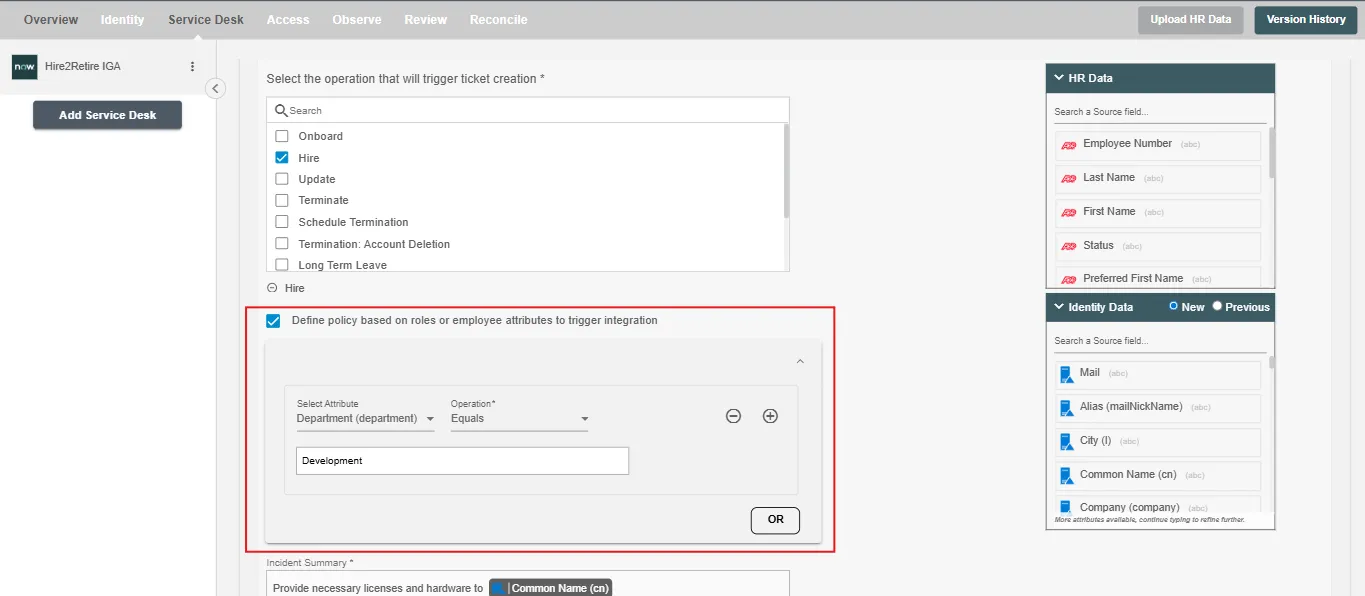
The employee is listed as the caller, the incident is assigned to the Office Supplies team, and routed for fulfillment.
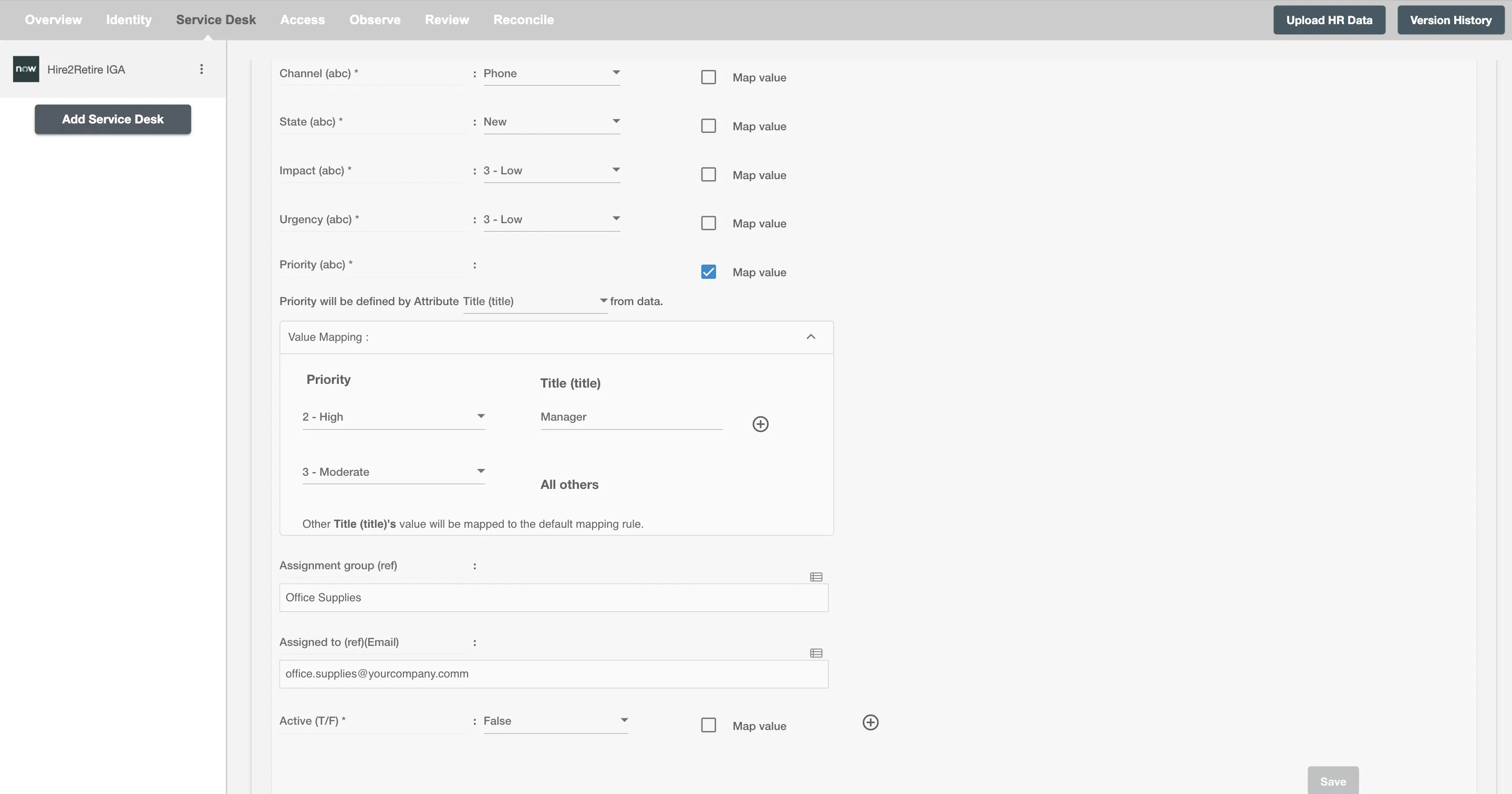
You can define ServiceNow attributes by mapping IdP attributes. The priority of the incident is defined based on whether the employee is a manager. You can define additional attributes using the (+) sign.