Roles
Users can be assigned different personas in the ServiceNow App based on their responsibilities. It is recommended to create a dedicated Hire2Retire Integration Admin as a service account for connecting Hire2Retire with ServiceNow. The following are the user personas.
| Persona | Roles |
|---|---|
| ServiceNow App Integration Admin This user will be used for connecting Hire2Retire to Hire2Retire IGA on ServiceNow. |
x_srbtd_h2r.hire2retire_integration_admin - Write to and read from custom ServiceNow App Tables on ServiceNow import_transformer - Allows users to run and manage transform maps to import and update data automatically in ServiceNow. (Needs additional ACLs as mentioned in the next section |
| ServiceNow App Admin This user has full access to all ServiceNow App pages and settings, with permissions to manage all events. |
x_srbtd_h2r.hire2retire_admin - This persona allows the user to access all ServiceNow App pages credential_admin - To use the API key for the ServiceNow App to make API requests to Hire2Retire. |
| ServiceNow App Reviewer This user will be for managers or reviewers to view and act on events, approve or reject requests. |
x_srbtd_h2r.hire2retire_reviewer - This persona allows the user to review pending events on the ServiceNow App credential_admin - To use the API key for the ServiceNow App to make API requests to Hire2Retire. |
| ServiceNow App Viewer This persona can view events on the observe page. |
x_srbtd_h2r.hire2retire_viewer - This role allow user to view event data |
| Access Request User This persona can view my request and approval page to manage their requests. |
x_srbtd_h2r.access_request_user - This role allows users to view requests on the My Requests page and approve requests from the Approval page where they are assigned as approvers. credential_admin - To use the API key for the ServiceNow App to make API requests to Hire2Retire. |
| Service Portal Approver This persona can approve requests from the ServiceNow service portal where they are the approver. |
approver_user - This role allows users to approve or reject requests from the ServiceNow Service Portal. |
Access Control (ACL) Requirements for Integration Admin Role
| Table Name | Operation | Type | Fields |
|---|---|---|---|
| sc_cat_item_guide_items | Read | Record | Leave blank (table level) |
| sc_cat_item_guide | Read | Record | Select * to apply the ACL to all fields |
| sys_db_object | Read | Record | Select * to apply the ACL to all fields |
| item_option_new | Read | Record | Leave blank (table level) |
| sc_cat_item (Catalog Item) | Read | Record | Select * to apply the ACL to all fields |
| sys_user_has_role | Read | Record | Leave blank (table level) |
| sys_user_role | Read | Record | Leave blank (table level) |
All ACLs must include x_srbtd_h2r.hire2retire_integration_admin role.
Access Control (ACL) Requirements for Access Request
| Table Name | Operation | Type | Fields | Roles |
|---|---|---|---|---|
| sys_user_has_role | Read | Record | Leave blank (table level) | x_srbtd_h2r.hire2retire_viewer, x_srbtd_h2r.access_request_user, x_srbtd_h2r.hire2retire_reviewer, x_srbtd_h2r.hire2retire_admin |
| api_key_credentials | Read | Record | Leave blank (table level) | x_srbtd_h2r.hire2retire_viewer, x_srbtd_h2r.access_request_user, x_srbtd_h2r.hire2retire_reviewer, x_srbtd_h2r.hire2retire_admin, hire2retire_integration_admin |
| api_key_credentials | delete | Record | Leave blank (table level) | x_srbtd_h2r.hire2retire_integration_admin |
| api_key_credentials | write | Record | Leave blank (table level) | x_srbtd_h2r.hire2retire_integration_admin |
| sys_user_role | Read | Record | Leave blank (table level) | x_srbtd_h2r.hire2retire_viewer, x_srbtd_h2r.access_request_user, x_srbtd_h2r.hire2retire_reviewer, x_srbtd_h2r.hire2retire_admin |
Here are the detailed steps to create an ACL (using read ACL on User [sys_user] as an example)
Create Read ACL on sys_user Table
To allow the Integration Admin to read fields from the sys_user table, create a Read Access Control (ACL).
Steps to Create Read ACL
-
Navigate to Access Control (ACL) from the navigation bar
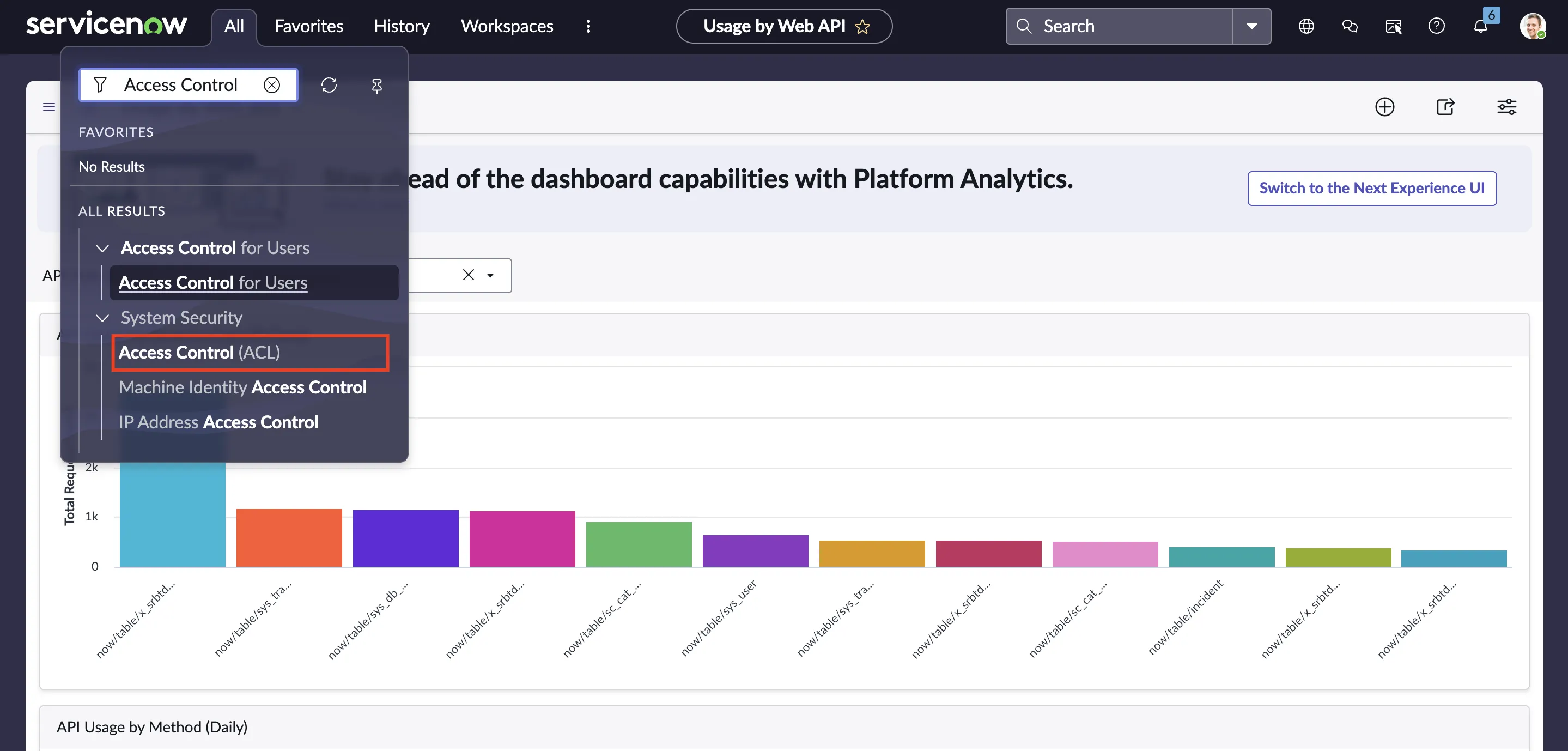 Figure 1. Access Control in ServiceNow
 -
Click New in the top-right corner
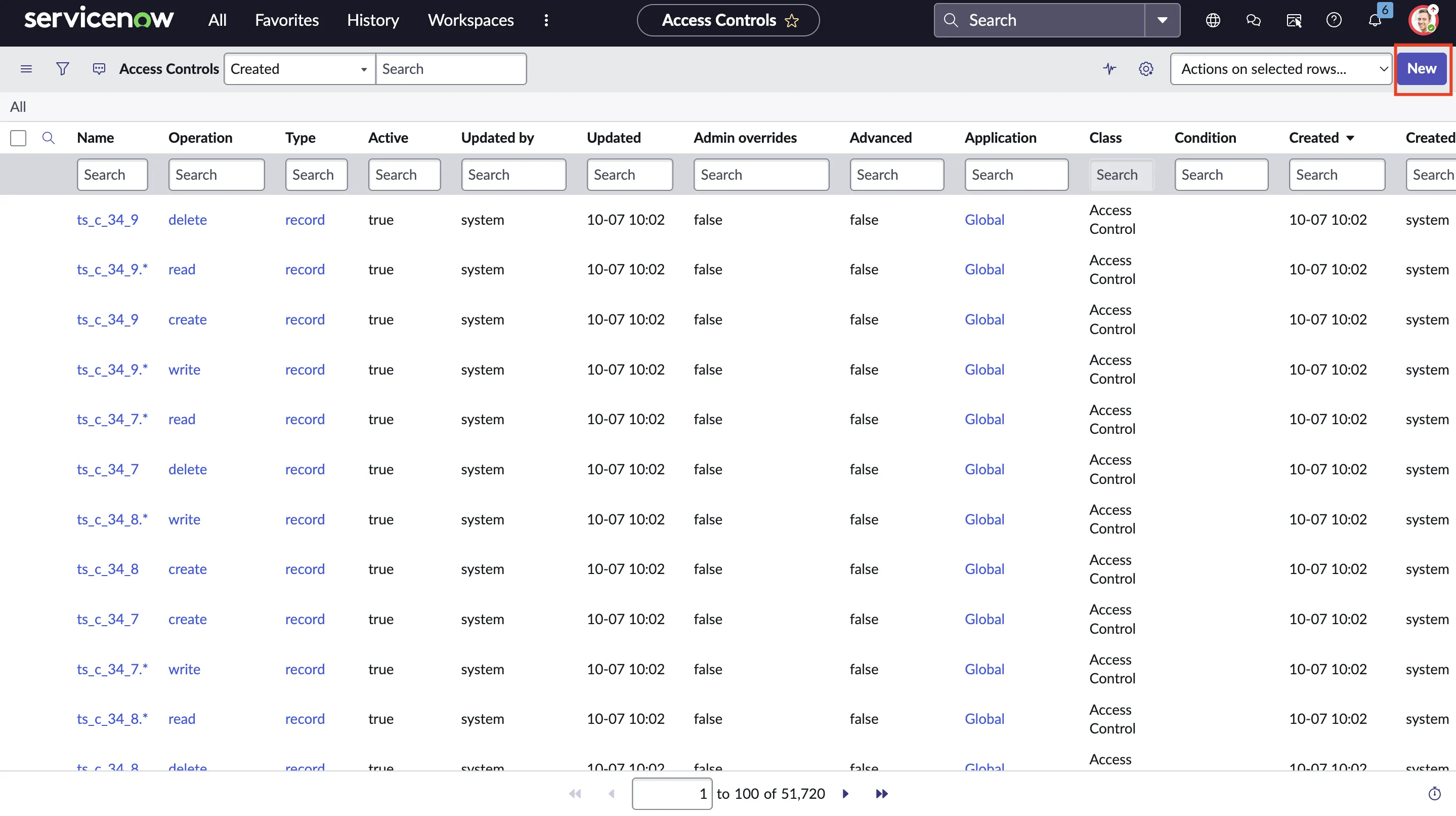 Figure 2. Create user table ACL
Note: If the New button is not visible, you need to elevate the role to security_admin. You can do this by using the Elevate Role option in the account profile section.
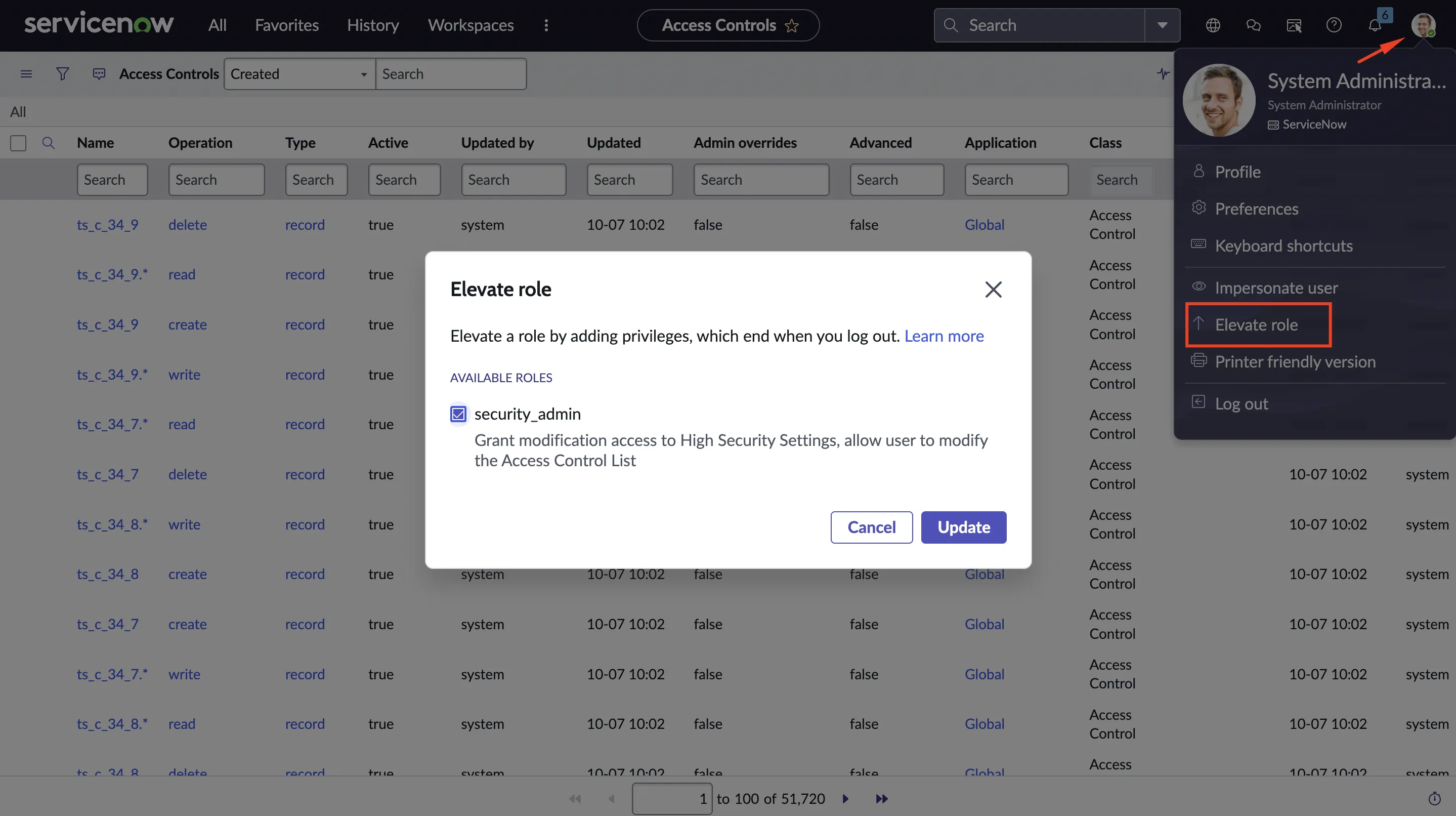 Figure 3. Elevate user role to Security Admin
 -
After populating the following details, click on Submit
- Type:
record - Operation:
read - Name: Select the Import Set Web Service that you created in above steps. eg.
User [sys_user] - Fields:
Select * to apply the ACL to all fields - Role:
x_srbtd_h2r.hire2retire_integration_admin
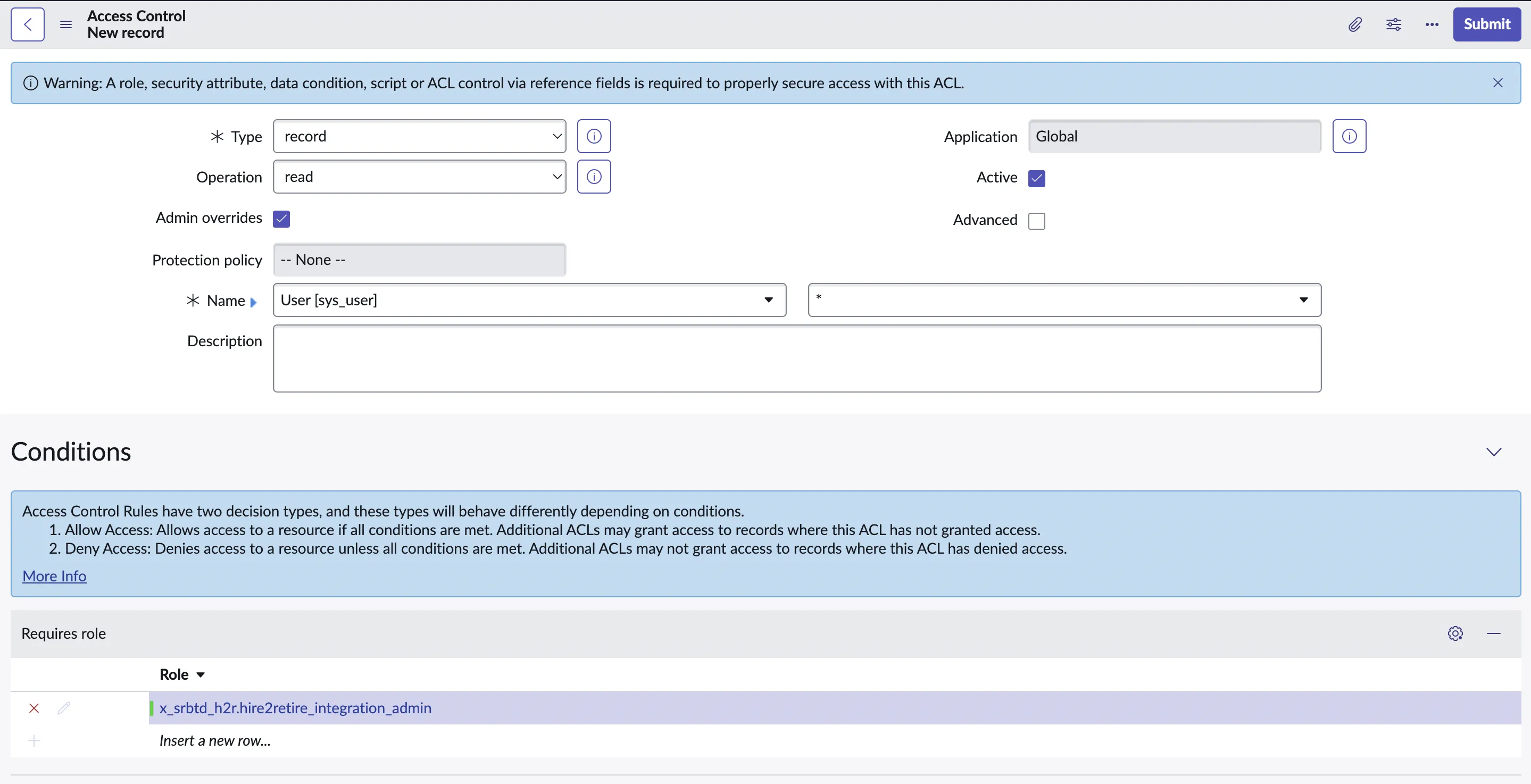 Figure 4. New ACL creation fields
 - Type: