Request Order Guide
Hire2Retire integrates with ServiceNow to simplify and automate service requests using Order Guides. This is especially helpful during employee onboarding, where multiple resources such as devices, access, and accounts need to be provisioned together.
Request Order Guide
The Order Guide action allows you to automatically trigger a ServiceNow order guide based on lifecycle events, such as onboarding or role changes.
Policy Configuration
You can define condition(s) based on the user's AD attributes and group memberships to process the Order Guide action. The action will be processed if the user has been added or removed from the specified groups or if certain attributes match the defined conditions.
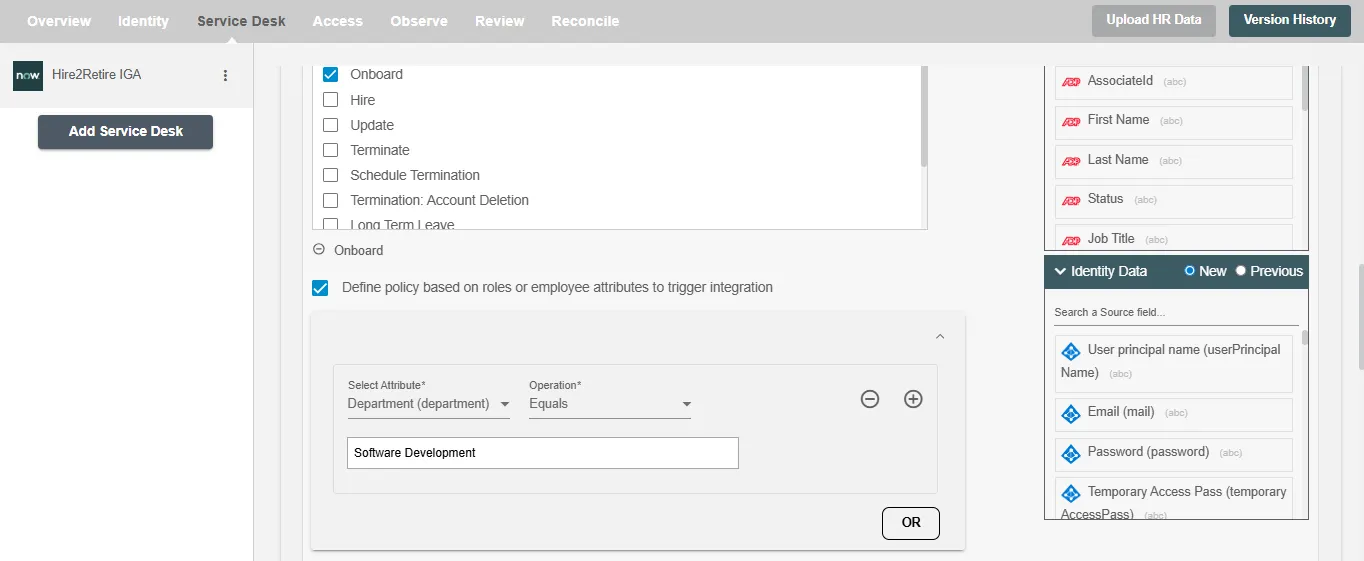
Configuring Order Guide
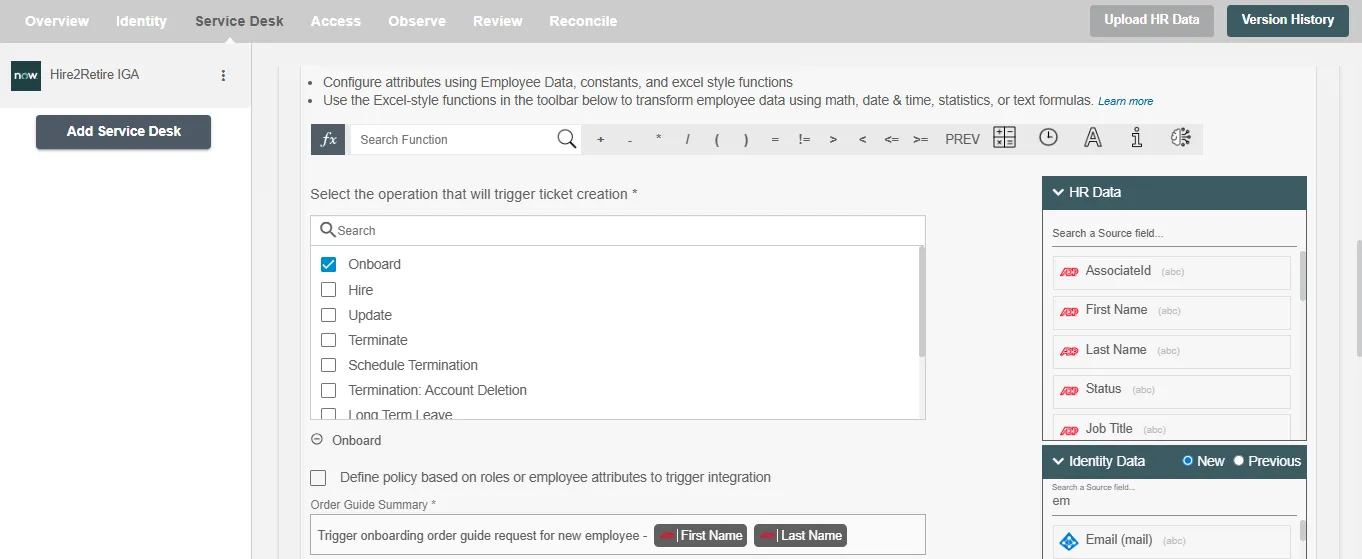
When a new employee is onboarded, Hire2Retire can automatically trigger an Order Guide in ServiceNow. For instance, as soon as an onboarding event is recorded in Hire2Retire, the system uses the predefined order guide to submit a request in ServiceNow. This request may include setting up the employee’s laptop, creating their email account, assigning security access, and provisioning the necessary software, all in a single, streamlined process.
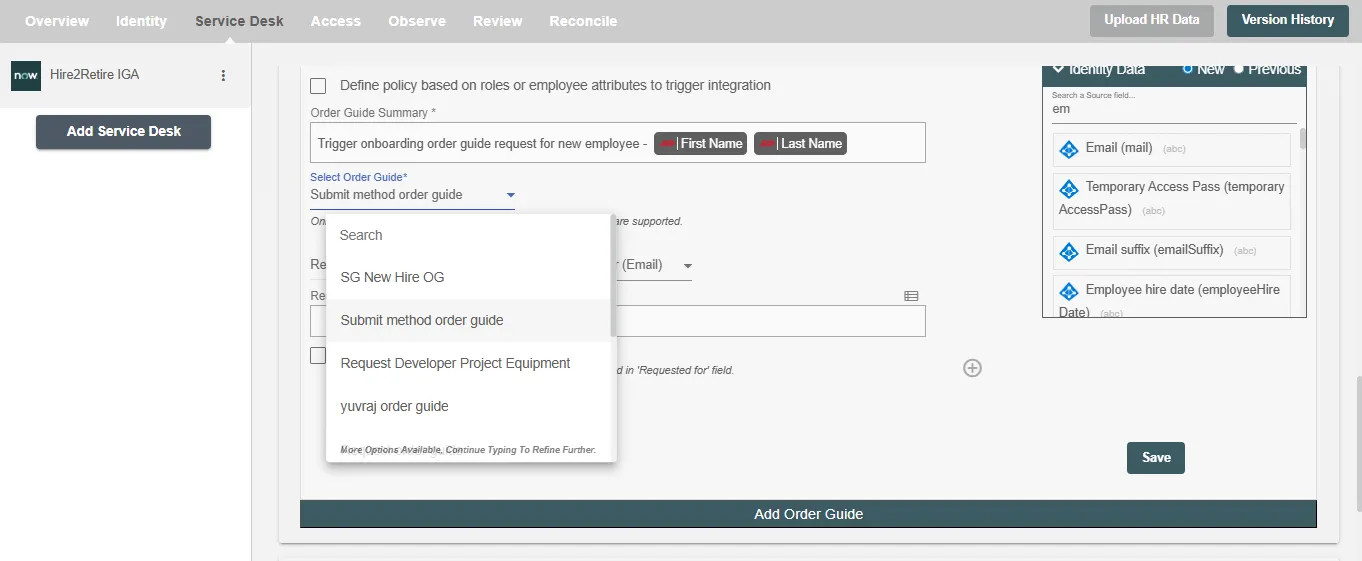
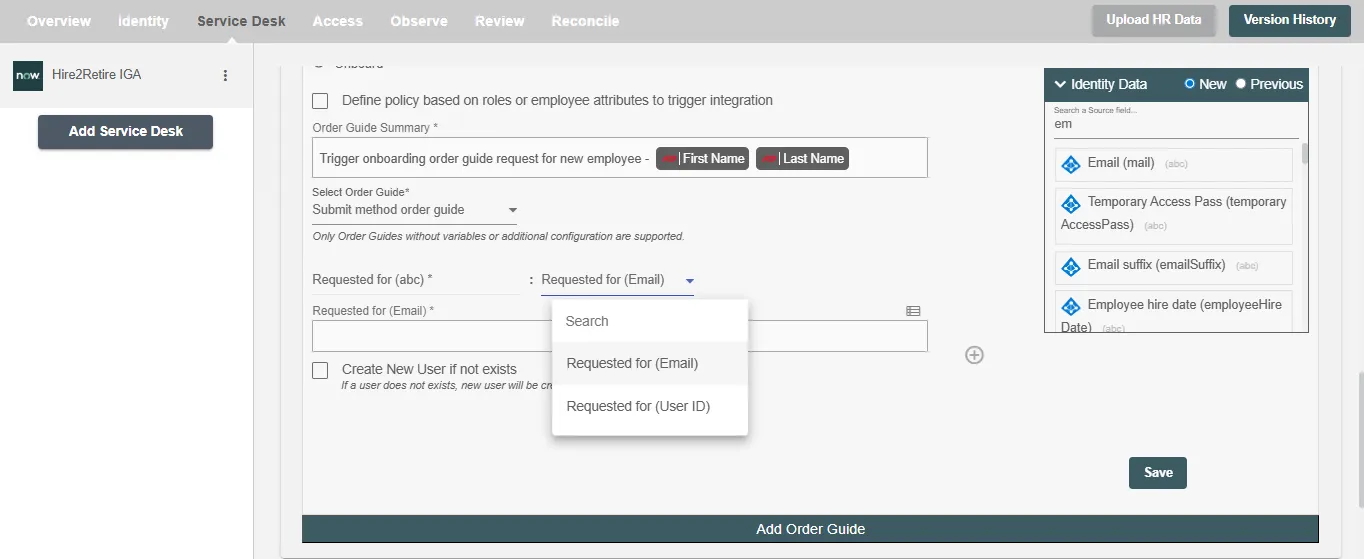
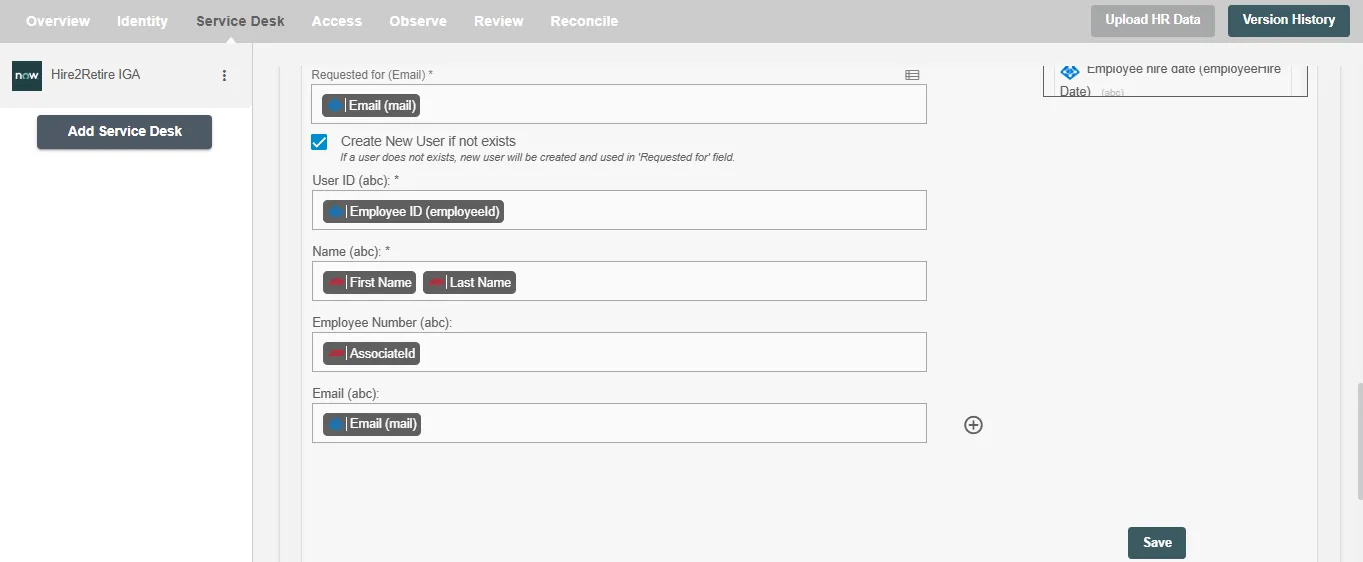
You can provide the order guide summary and select the required attributes. You can also map the values to populate the attributes. Any additional attributes apart from the default attributes can be added using the+ sign. Refer to the example workflow images available below.
Note: Hire2Retire currently does not support Order Guides that require variables or additional configurations.