Access Request - Approvals
The Approvals page enables you to approve pending access requests assigned to you for approval. It also allows authorized users to mark a request as Fulfilled or Revoked.
From this page, approvers can review request details and perform the required actions.

A request can have one of the following statuses:
-
Pending – The request is awaiting approval.
-
Awaiting Action – The request is being processed, including Awaiting Fulfillment and Awaiting Revocation.
-
Success – The request has been approved, rejected, revoked, or successfully fulfilled.
-
Failed – The request could not be fulfilled or access could not be revoked due to an error (Fulfillment Failed, Revocation Failed).
You can also filter for requests using the following criteria:
- Recipient
- Requester
- Requested Item
- Approvers
- Status
- Requested Within (using a predefined or custom date range)
Reviewing a Request
To view or review a request, click the View or Review button in the Action column.

You can view the following information:
- Requested Item
- Request Type
- Recipient
- Requester
- Requester Note
- Approver Note
- Time Limit
- Approvers(s) (This field is visible only to users with the Admin or Approver role)
You can override the time limit selected by the requester before approving the request. As an approver, you can choose a predefined duration or specify a custom date. The selected time limit determines how long the recipient will retain access.
Approving or Rejecting Requests
From the review details page, you can view the request and approve or reject it.
In the case of an entitlement request, once approved, it is automatically fulfilled by Hire2Retire, and the recipient is added to the requested group. After the time limit expires, the recipient is also automatically removed from the group.
In the case of an application request, the request moves to the Awaiting Fulfillment or Awaiting Revocation state. The application request tracks the corresponding ServiceDesk ticket until it is marked Fulfilled or Revoked. Users with the required privileges can also explicitly mark the request as Fulfilled or Revoked.
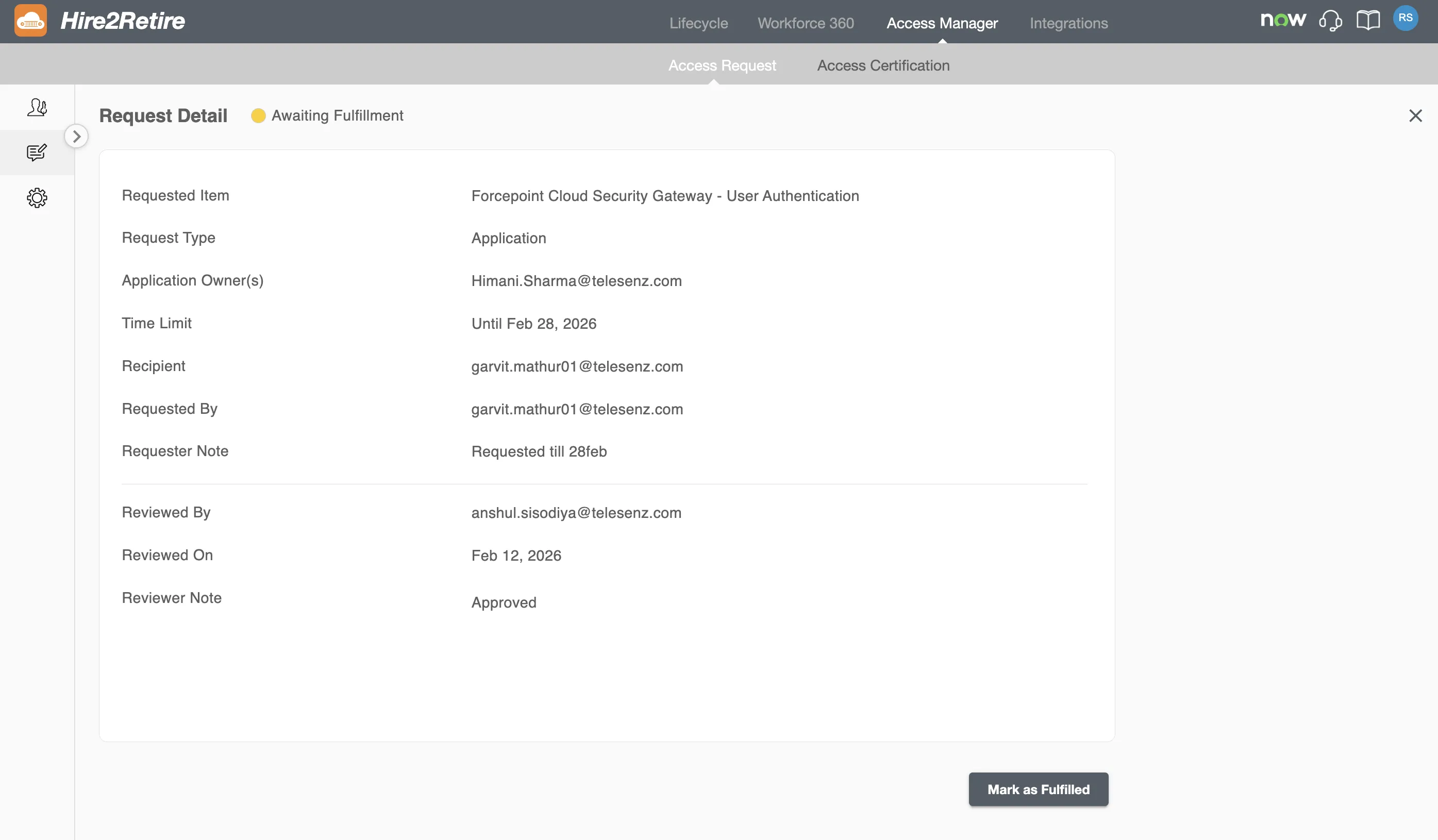
The requester and recipient are notified on approval, rejection, fulfillment, and revocation.
For Admins and Reviewers
If you have an Admin or Approver role in your organization, you can approve all requests across the organization. You can also mark any request as Fulfilled or Revoked.
You will also be able to see the designated approvers of all requests and filter requests based on approvers.
You will also be able to approve the requests that have no designated approvers. Such requests will show up when you select No Approvers in the Approvers dropdown..

You will also be able to bulk approve or reject all requests by selecting the checkbox in the table header.
