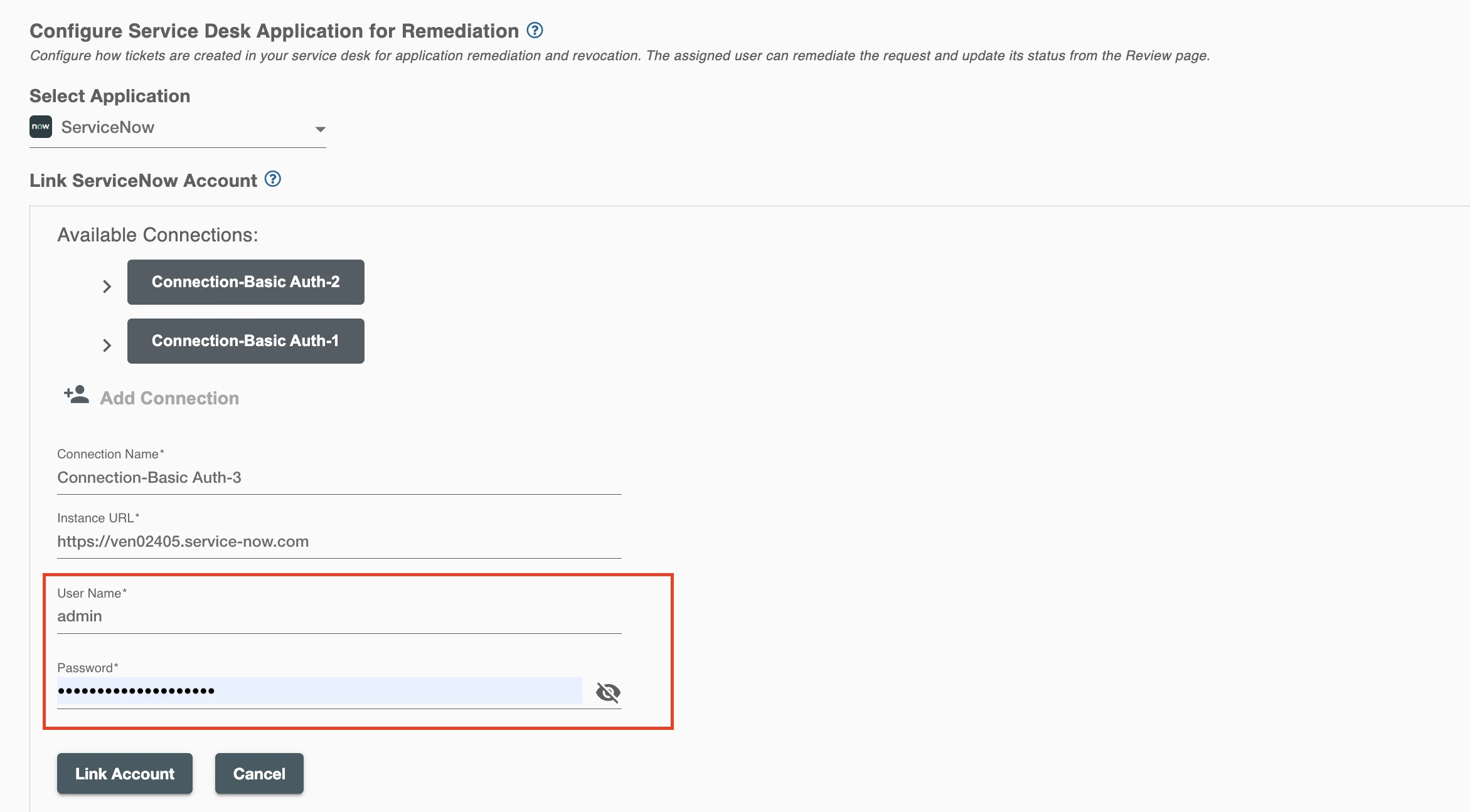
ServiceNow Connection
ServiceNow can be connected to Hire2Retire using Basic Authentication. Once connected, Hire2Retire can create and manage ServiceNow tasks for access-related actions using the configured account.
Please refer to the document Basic auth for rest APIs to know more about Basic Authentication in ServiceNow.
RoboMQ follows strict security and privacy standards to protect your account. See our Security and Privacy Policies to understand how your account access is protected.
| Object | Permission |
|---|---|
| User account | To interact with all records |
View all permissions that users can have to access entities in ServiceNow.
Link ServiceNow Account
In this step, you can view existing ServiceNow connections created during Lifecycle configuration and select one to use in Access Certification.
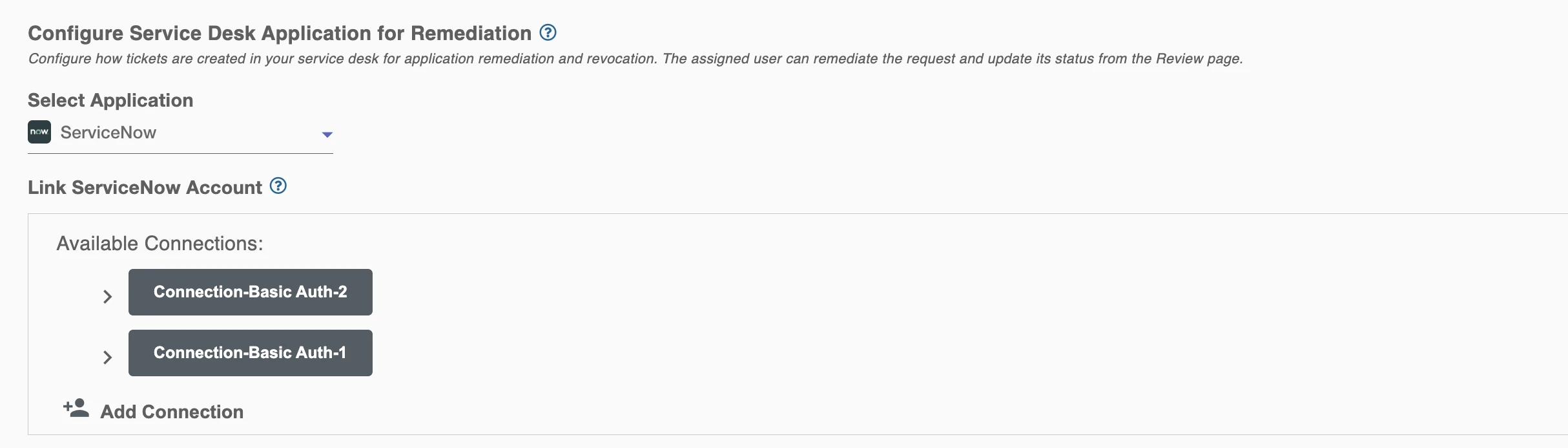
Add Connection
To link your ServiceNow account using Basic Authentication, first specify your ServiceNow Instance URL.
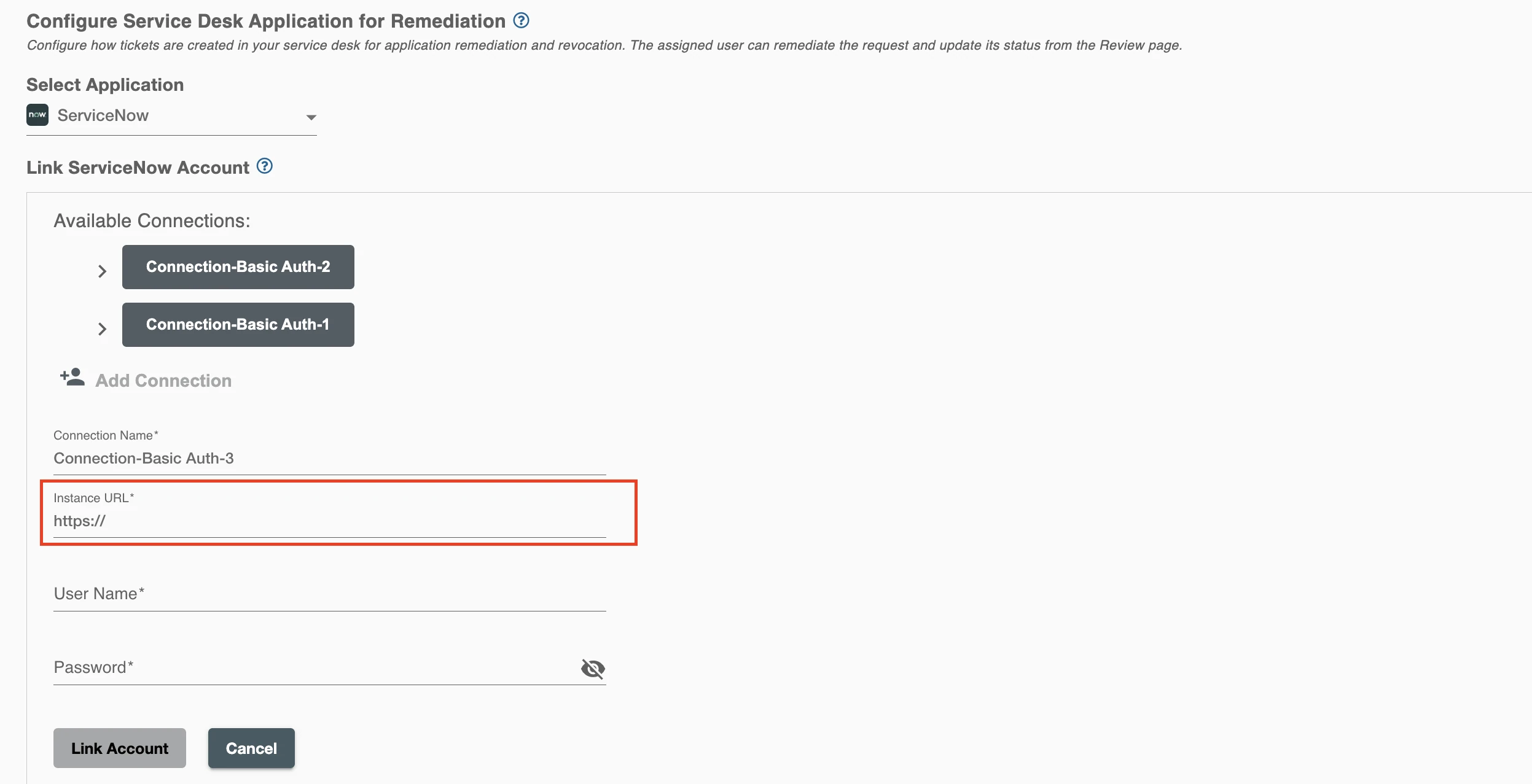
What is an Instance URL?
When you open ServiceNow, you will see a URL such as https://abc.service-now.com. This is your Instance URL used to connect Hire2Retire with your ServiceNow instance.

Next, enter the username and password of an account with required privileges to create tasks in the Task table. These credentials are used to authenticate and establish the connection with ServiceNow.