Connection
Hire2Retire supports both Basic Authentication and OAuth 2.0 to connect with ServiceNow App. By linking your ServiceNow App account with Hire2Retire, you authorize RoboMQ to securely access your ServiceNow instance and perform actions required for integration workflows. RoboMQ needs the following permissions on your account to provide a seamless integration experience.
| Scope | Description |
|---|---|
| x_srbtd_h2r (read and write) | Hire2Retire will need read and write capability to all the custom tables and import set web services in the ServiceNow App application scope |
| sys_user (read) | To get available user attributes and check if user already exists |
| incident (read) | To get available attributes for incident |
| sc_request (read) | To get available attributes for catalog items |
| api_key_credential (write) | Create API keys for user authentication |
| sc_cat_item_guide (read) | To retrieve list of order guides |
| sc_cat_item_guide_item (read) | To retrieve individual guide items within an order guide |
| sc_cat_item (read) | To display catalog items |
RoboMQ prioritizes the security of your account data. See our Security and Privacy Policies to learn more about how RoboMQ handles your account access.
Create a Basic Authentication Connection
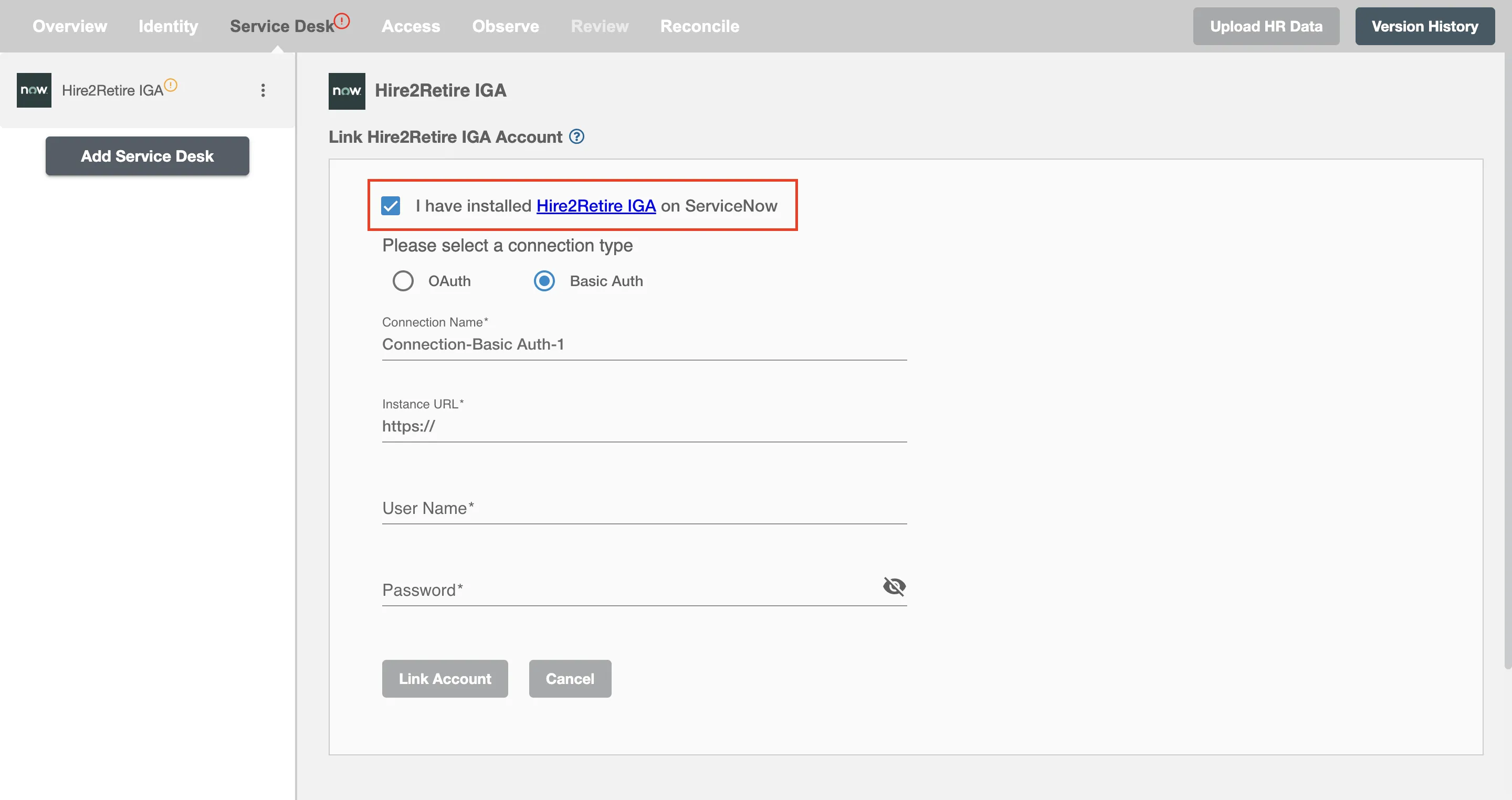
Step 1
Install the ServiceNow App application from the ServiceNow Store and enable it in the connection form. You can follow this guide to install the application. If you are unable to find the application on the ServiceNow Store, reach out to RoboMQ support.
Step 2
Provide your ServiceNow Instance URL. When you visit ServiceNow, you can find the ServiceNow Instance URL in the URL bar. It typically follows this format: https://abc.service-now.com.

Step 3
Provide the username and password of a user with the Integration admin persona.
Create an OAuth Connection
To link your ServiceNow App account using OAuth, provide your ServiceNow Instance URL, Client ID, and Client Secret. To get the Client ID and Client Secret, you have to set up an OAuth application on the ServiceNow platform.
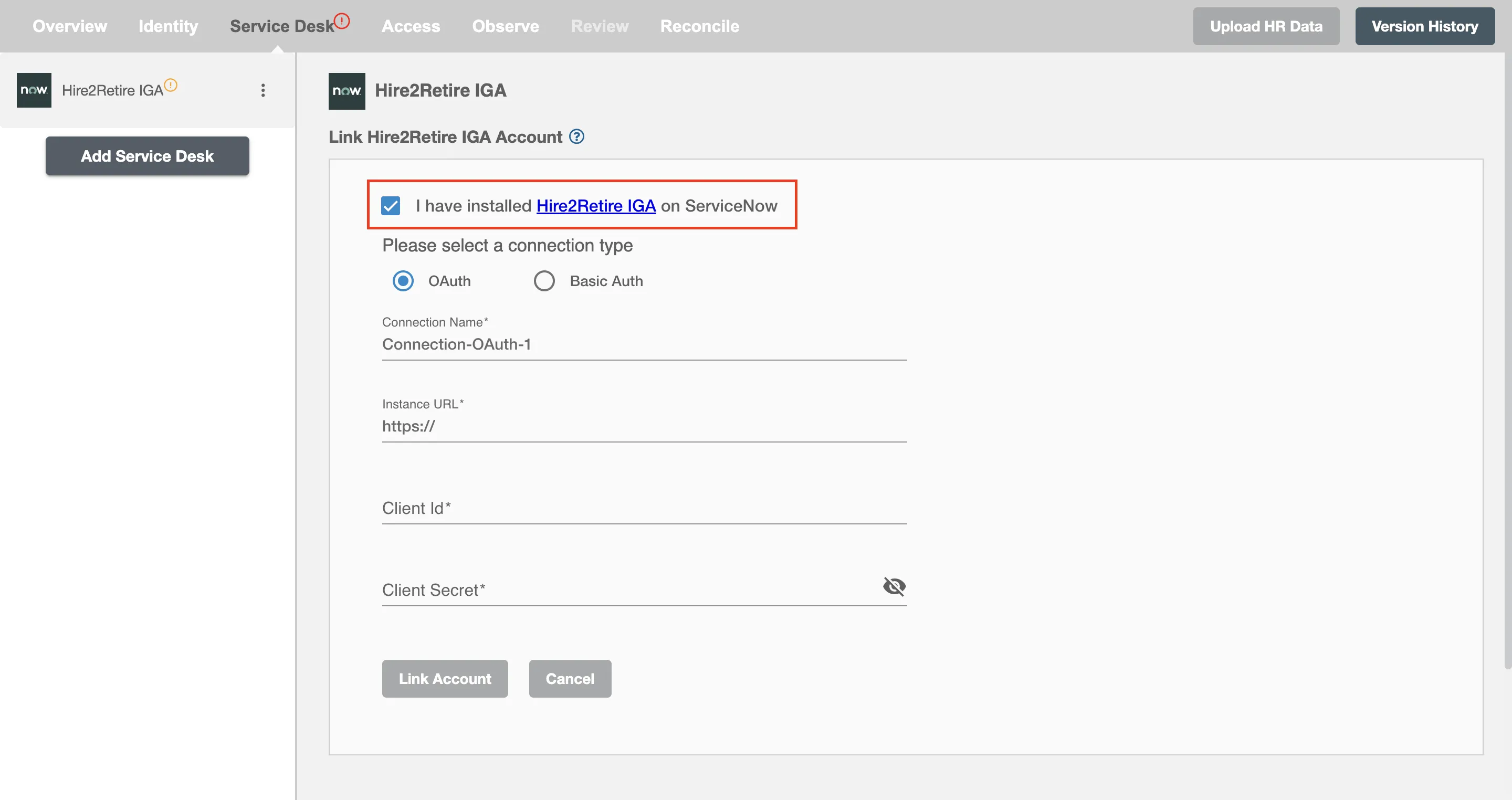
Setting up Connection using OAuth 2.0 On ServiceNow App
For detailed steps on configuring OAuth, see the OAuth Setup Guide.