Active Directory Profile Type
Overview
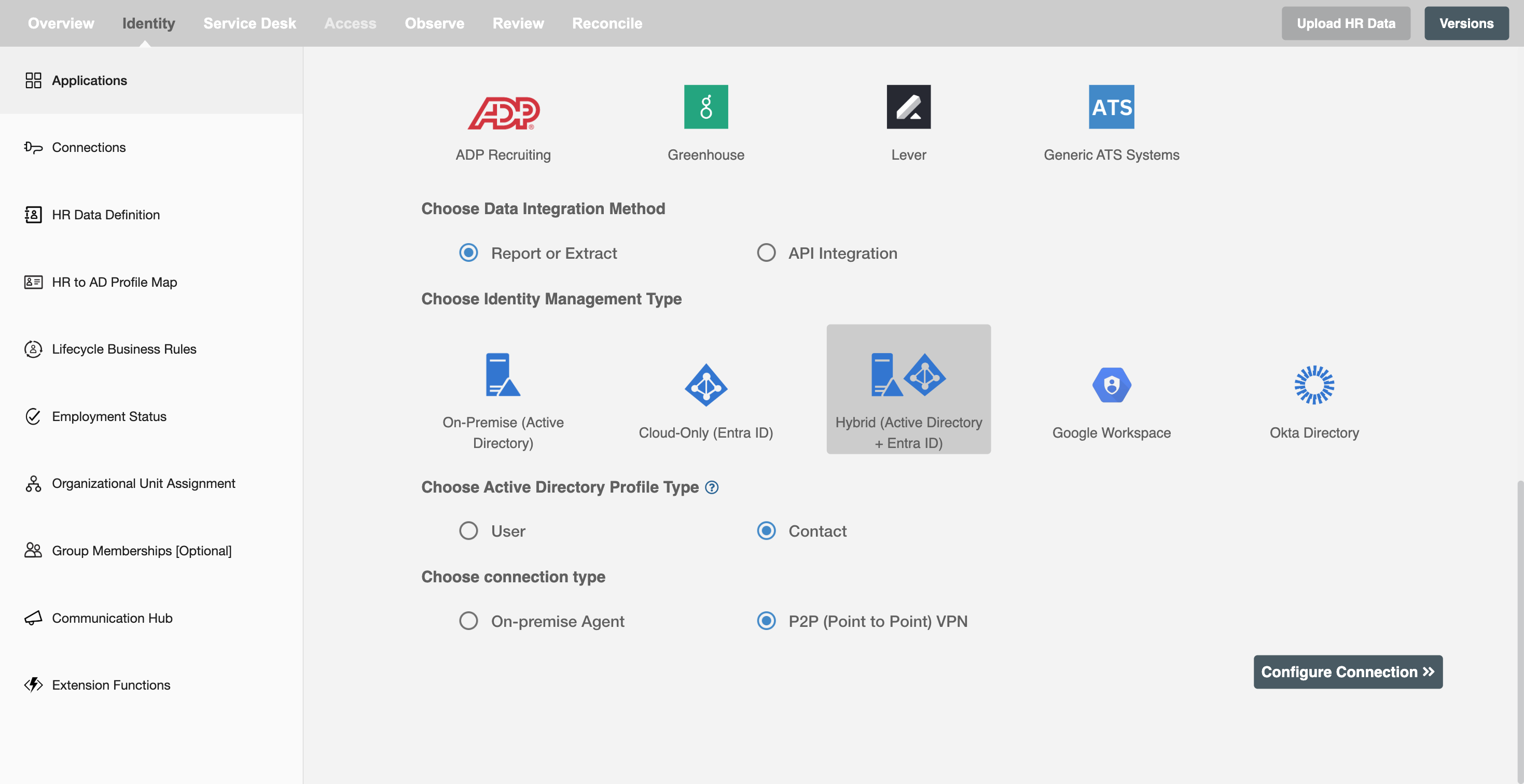
In this configuration, you can select the type of identity to be created in Active Directory. Based on the requirement, the profile type can be selected as User or Contact. The selected profile type determines how the identity is created and managed in Active Directory.
User
User is an internal identity in the company that enables access to organizational systems and resources. Hire2Retire supports login access, mailbox creation, and password setup and reset for users. Hire2Retire supports the following lifecycle events for User:
- Hire, Rehire
- Change of Profile or Role
- Termination
- Leave:
- Long term leave
- FMLA (Family and Medical Leave Act)
- Legal
- Security and Discipline
The following are the mandatory attributes for User:
- Employee ID
- First Name
- Last Name
- Common Name
- UPN Prefix / sAMAccountName
- UPN Suffix / Domain
- Work Email
The following are the supported group memberships for User:
- AD Security Groups
- AD Distribution Lists
- Entra ID Security Groups
- Microsoft 365 Groups
- Entra ID Distribution Lists
- Mail Enabled Security Groups
Contact
A Contact is an external identity used for individuals who do not require login access to organizational systems. It stores personal email information in Active Directory for communication and directory visibility purposes. Contact profiles do not support authentication, mailbox provisioning, or system access. They are commonly used for vendors, partners, consultants, or other external associates who need to appear in address lists. The following lifecycle events are supported:
- Create Contact
- Update Contact
- Delete Contact
The following are the mandatory attributes for Contact:
- Employee ID
- First Name
- Last Name
- Personal Email
- Common Name

The following are the supported group memberships for Contact:
- AD Distribution Lists
- Entra ID Distribution Lists
- Mail Enabled Security Groups
