ServiceNow App User Provisioning
Contact Provisioning
You can manage provisioning of ServiceNow user accounts using the ServiceNow App. The accounts can be provisioned when a contact is hired or when the role changes. Similarly, the account can be deprovisioned on role changes or termination.
The ServiceNow App supports seamless provisioning of user accounts in ServiceNow. This functionality enables automatic creation, updating, or deactivation of ServiceNow user accounts based on predefined policies. Provisioning or deprovisioning actions are triggered by any contact lifecycle event within Hire2Retire.
Contact Provisioning Criteria
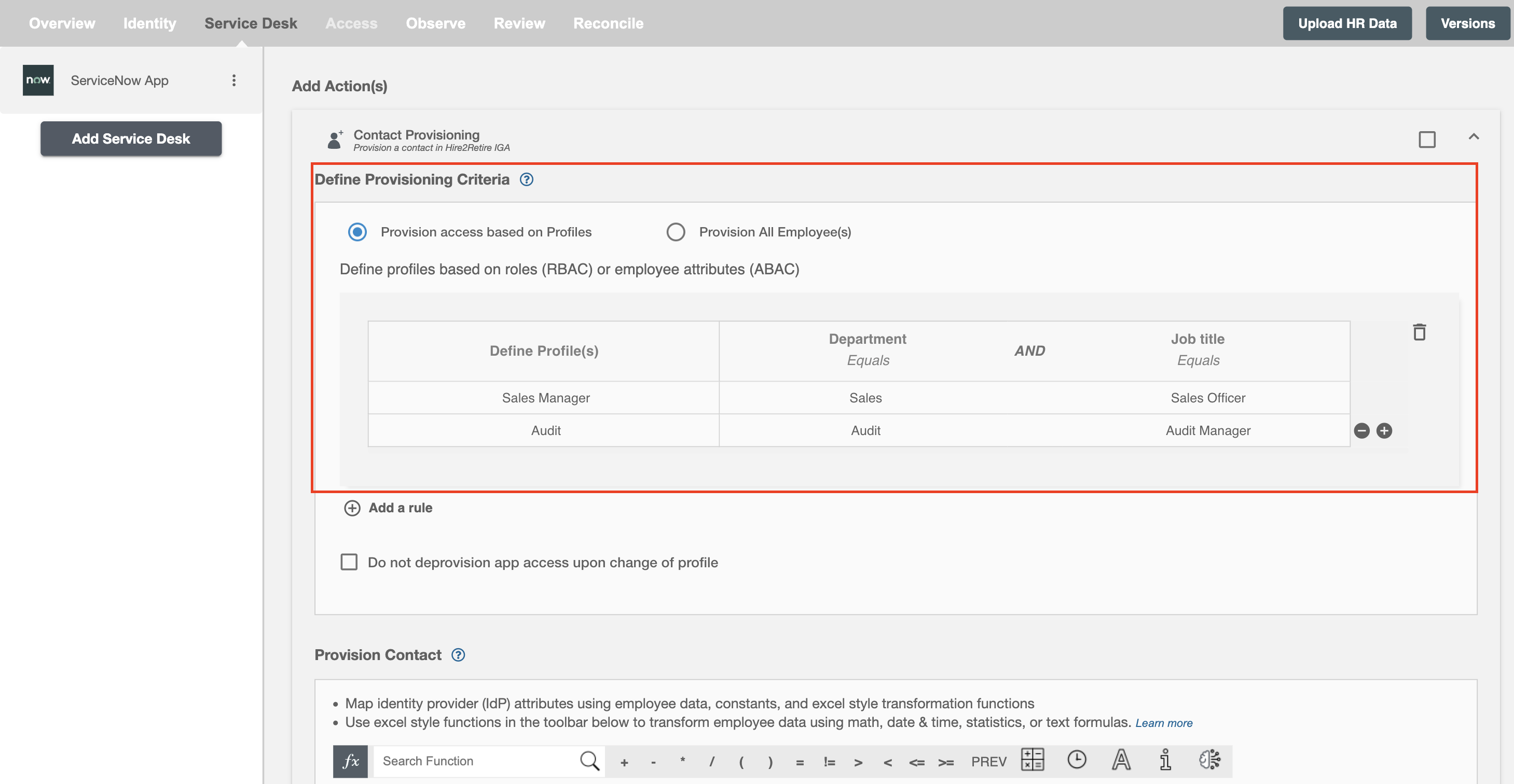
You can provision ServiceNow accounts for all your employees based on their provisioning criteria. You can define complex conditions to define criteria using AND and OR logic based on an employee's IdP attributes, Group memberships or Role(s) in the IdP.
For example: Contacts with Department Sales and JobTitle Sales Officer or Department Audit and JobTitle Manager will be provisioned. Only contacts whose criteria(s) are satisfied will get an account provisioned in ServiceNow.
You can select if you don't want to have an account in ServiceNow deprovisioned on role changes.
Configuring Contact Attributes
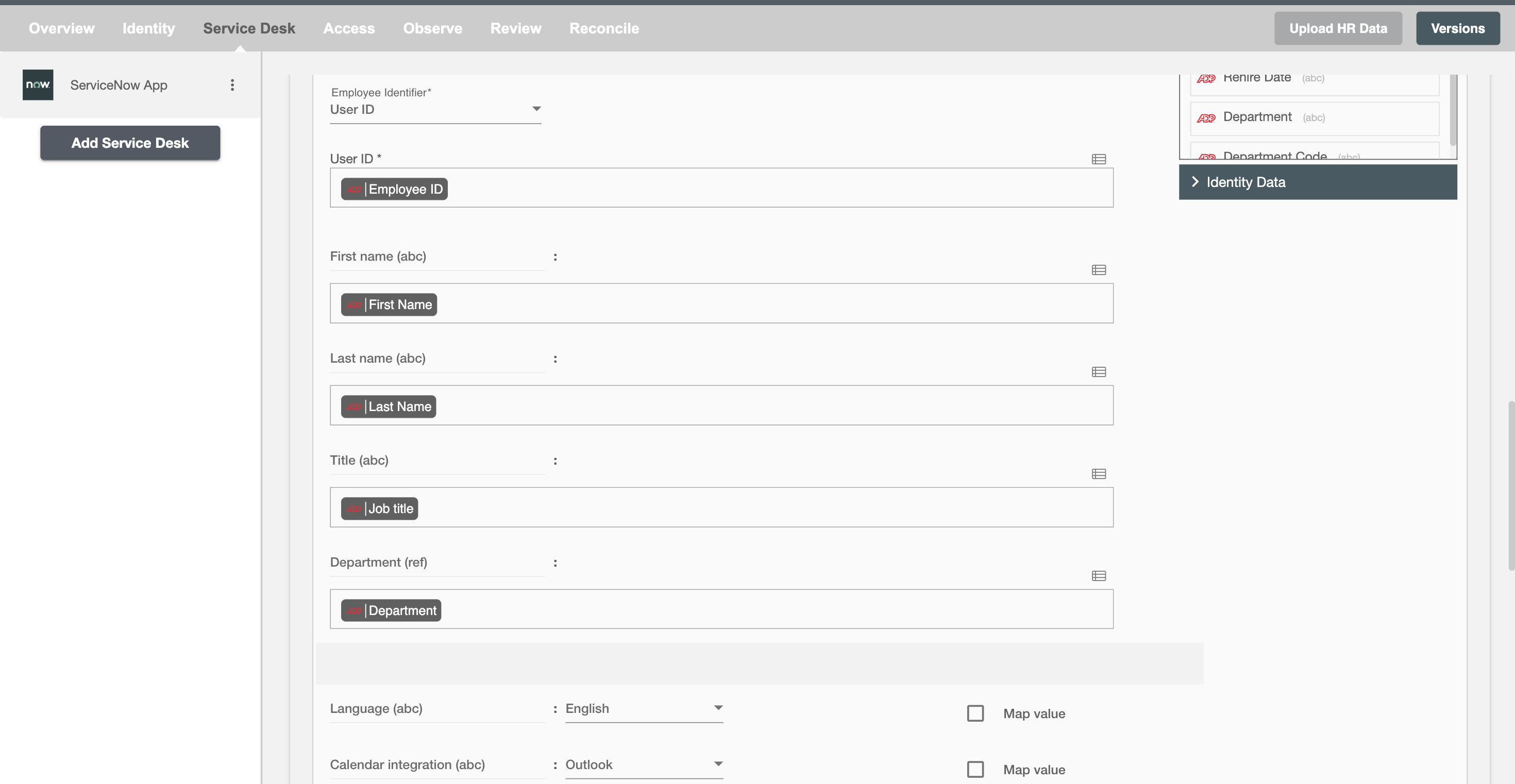
You can use Hire2Retire’s attribute mapping and transformation capabilities to define how identity data is populated in ServiceNow. Both HR and IdP attributes can be mapped to ServiceNow fields to ensure that user accounts are created with accurate and complete information.