ServiceNow App Catalog Items
ServiceNow App integrates with ServiceNow to enable you to request one or more ServiceNow catalog items in a single automated request. This is particularly useful during onboarding, offboarding, or role changes, where specific items, such as equipment, access rights, or software, must be provisioned based on the employee's profile.
Assign Catalog Items
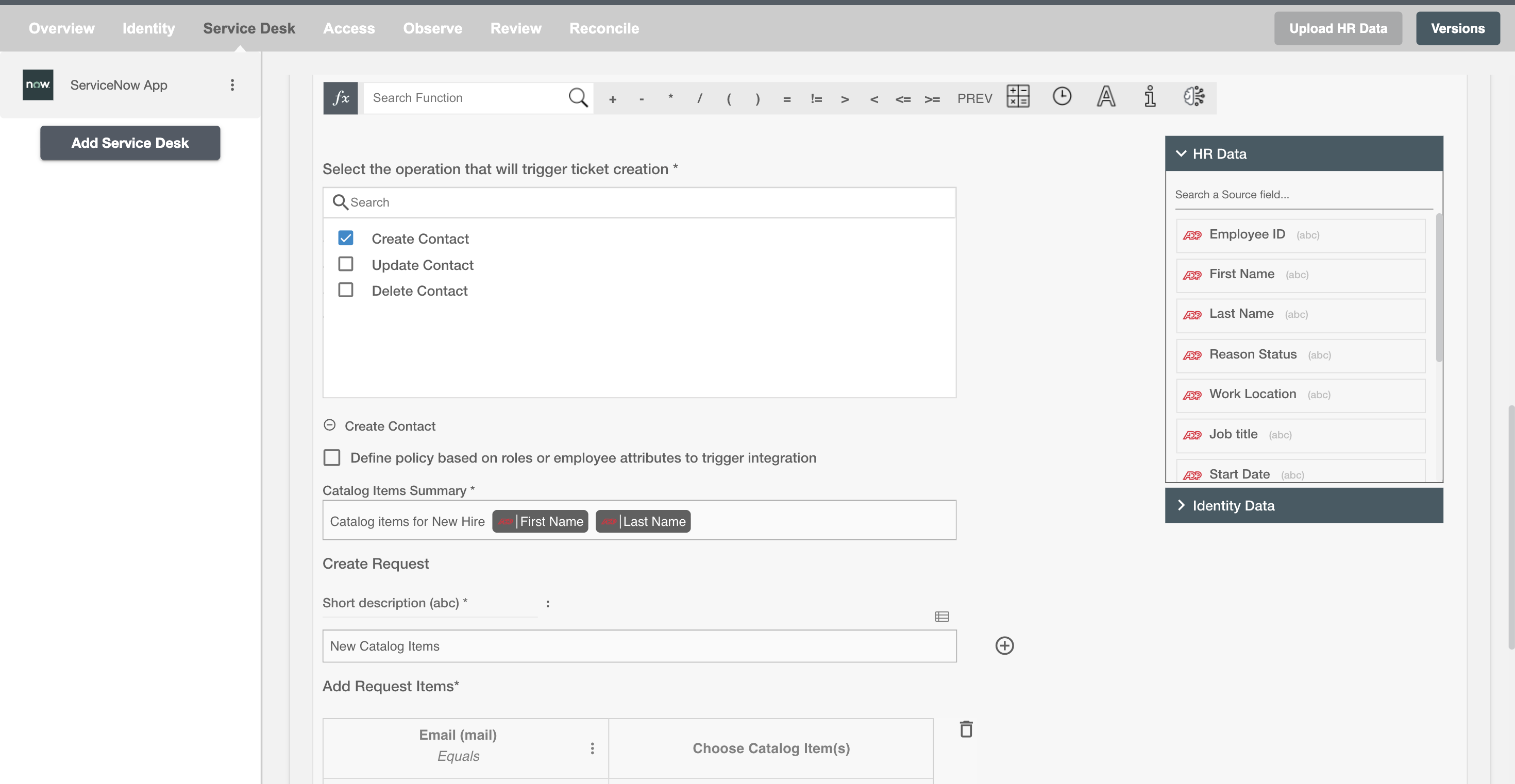
The Catalog Item action in the ServiceNow App allows you to automatically trigger one or more catalog item requests in ServiceNow based on lifecycle events, such as onboarding or profile changes.
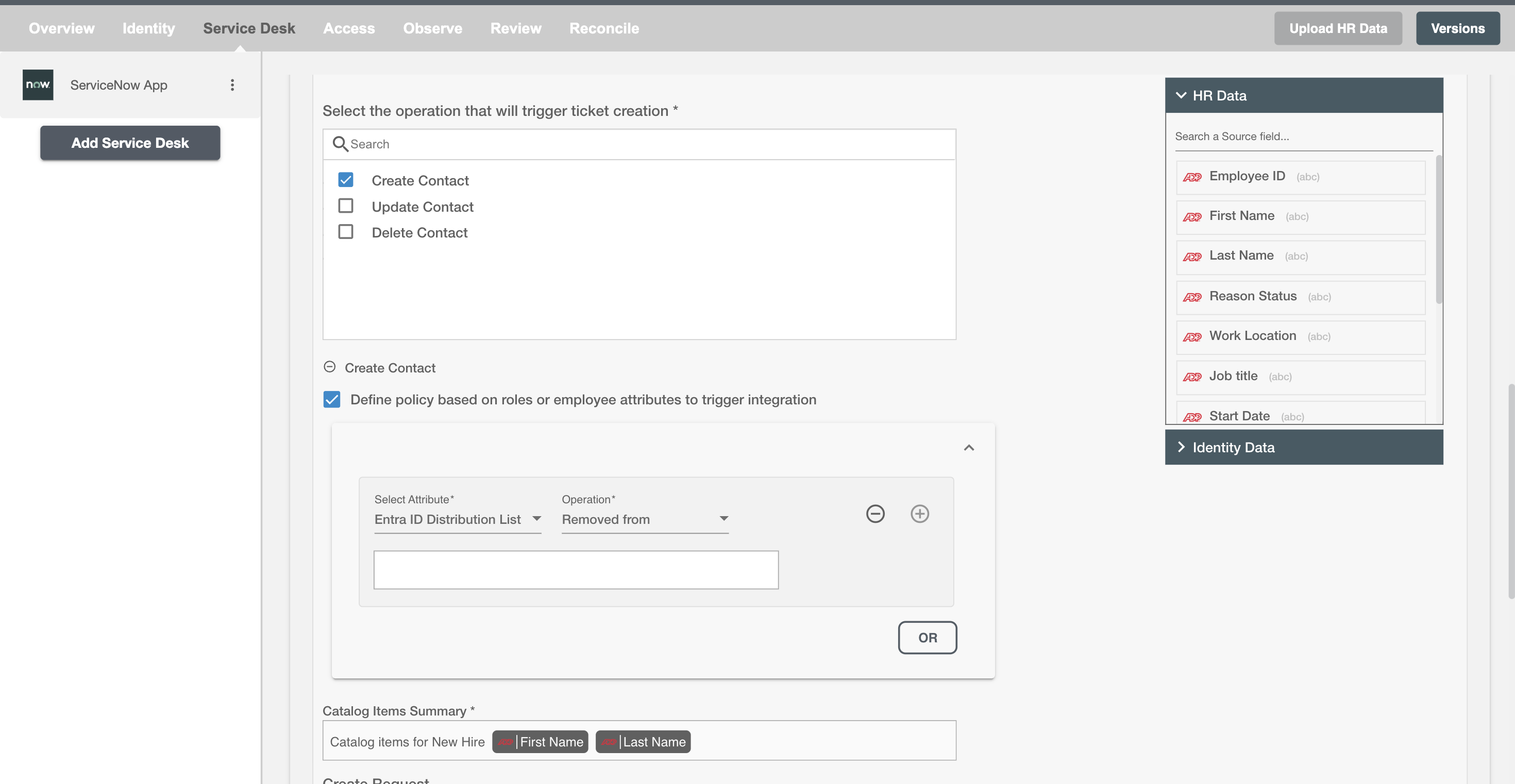
Policy Configuration
You can specify condition(s) based on the contact's AD attributes and group memberships to process the Catalog Item action. The action will be processed if the user has been added or removed from the specified groups or if certain attributes match the given conditions.
Configuring Catalog Items
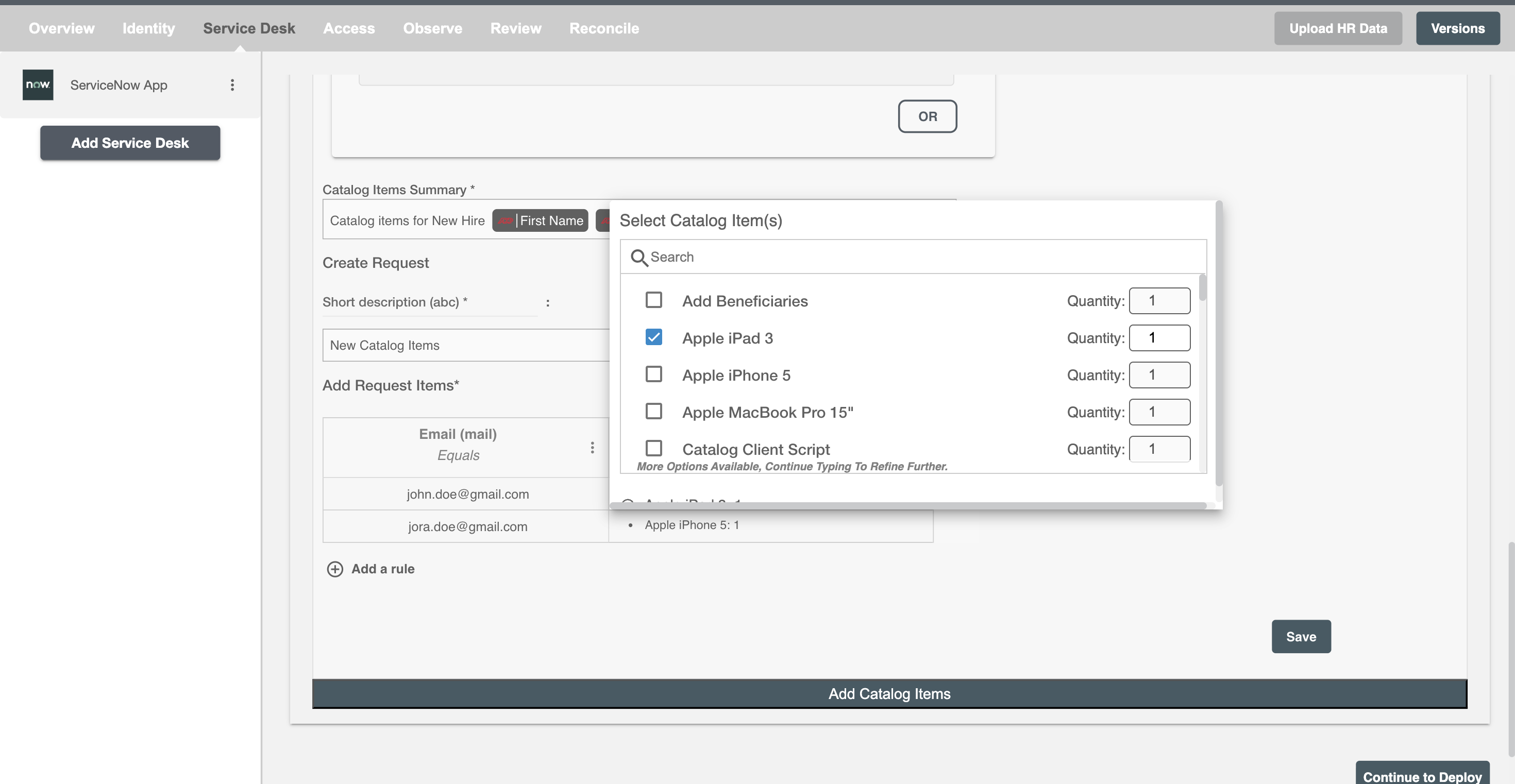
When a new contact is onboarded in the QA Automation team, Hire2Retire can automatically create a single request with multiple catalog items on ServiceNow. These may include a laptop, development tools, and multiple mobile devices (e.g., 4 phones and 2 tablets) to support cross-platform testing.
You can configure catalog item variables and map values directly from Hire2Retire attributes. This allows you to tailor each item request to the contact's specific needs. You can also add additional variables to catalog items using the + sign. Refer to the example workflow images available below.