Freshservice configuration in Access Certification
Hire2Retire Access Certification creates Service Desk tickets in Freshservice to manage application access remediation. For every rejected Application Access, a ticket is created in Freshservice. Once the ticket is created, Hire2Retire tracks the status of the ticket to automatically mark the Application Remediation Status in Access Certification as Fixed when the corresponding Freshservice ticket is marked complete.
You can configure both the ticket details and the completion criteria used by Hire2Retire to determine when remediation status will be considered Fixed.
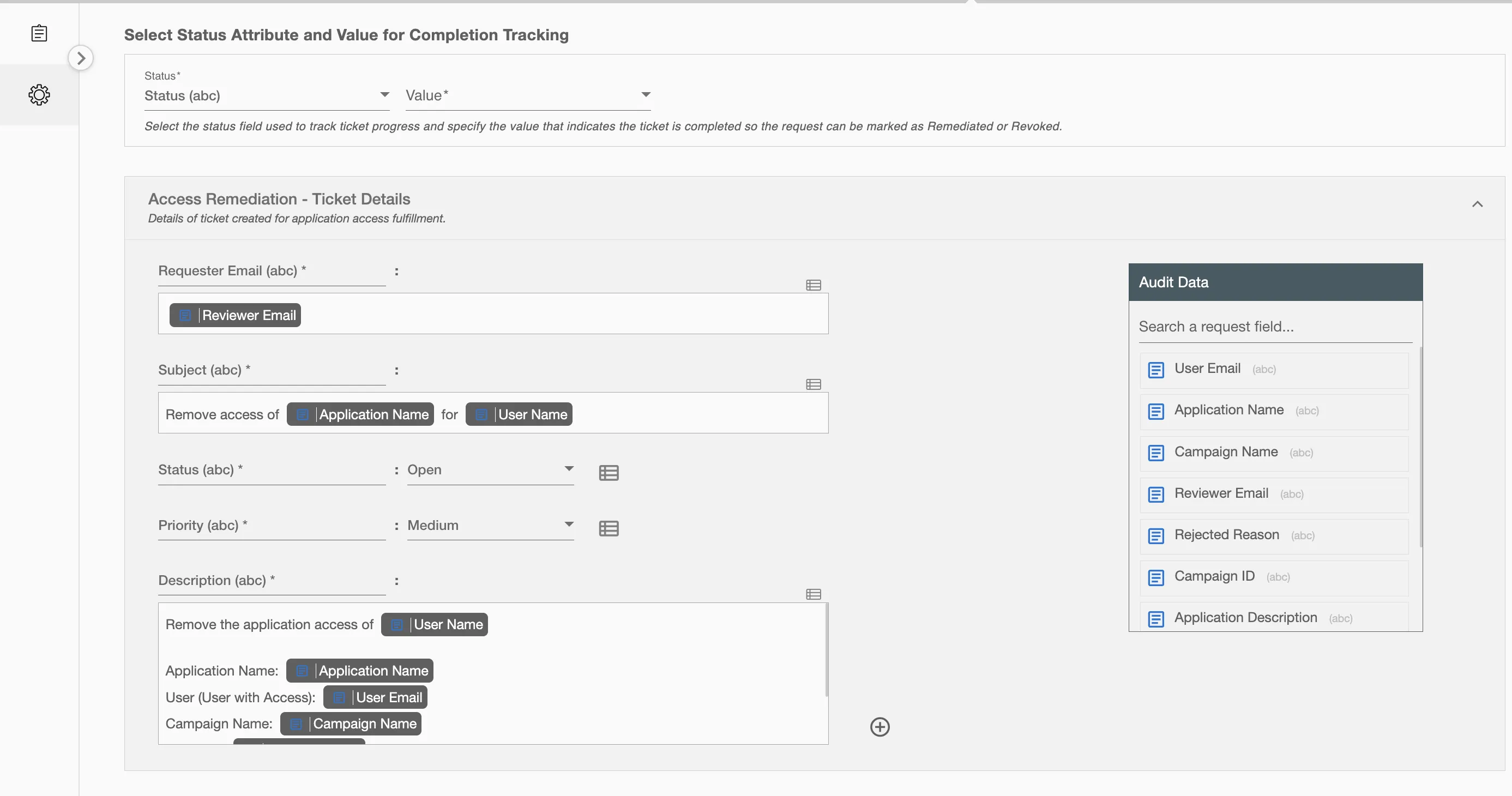
Ticket Completion Tracking on Freshservice
Hire2Retire continuously tracks the status of tickets created for access remediation. You can define which ticket attribute and value indicate that a ticket has been completed.
When the configured attribute matches the specified value, Hire2Retire automatically updates the associated application access remediation status to Fixed, depending on the case. For Example, the attribute Status and value Resolved are configured as the completion criteria. Whenever the ticket's status changes to Resolved, the corresponding Application Access Remediation Status will be marked as Fixed.
Ticket status updates may take up to 30 minutes to sync with Hire2Retire.

Ticket Details for Application Access Remediation
You can configure the information included in Freshservice tickets created for application access remediation . Some fields are pre-populated by default and can be updated if required. Additional ticket attributes can be added using the + option located at the bottom right corner of the form.