Access Request Overview
With the Access Request feature, Hire2Retire allows users in an organization to request additional entitlements and access. This capability works in addition to Hire2Retire's core capability to provision birthright-based entitlements and access to users.
The Access Request feature provides a structured, auditable, and automated way for employees to request access while giving organizations full control over who can review requests, which entitlements or applications can be requested, and how access is fulfilled or revoked. The requests are time-bound, and Hire2Retire revokes them once the defined time limit expires, ensuring access is granted only for the necessary duration.
Key Concepts
The following terms are used throughout the Access Request feature:
-
Entitlement: Refers to membership in Identity groups. All available group types in Active Directory, Entra ID, and Exchange Online are supported. -
Application: An application to which a user can request access. -
Request: A request created by an employee to gain access to an entitlement or an application available in the catalog. -
Review: The approval or rejection decision taken by designated approvers for a request. -
Fulfillment: The final step in processing a request, where the recipient is granted access to the requested group or application.
Feature Overview
Here are some of the major features of Access Request via Hire2Retire.
Access Request
- All users in the organization sharing the organization’s email domain can create requests for themselves or other users in the organization.
- Full visibility and audit trail of all access requests and reviews are maintained.
Catalog Management
- Entitlement Catalog: By default, all groups are available to be requested. Organizations can decide to only show the selected groups or to hide a few specified groups from the catalog.
- Application Catalog: Organizations can select applications from the available pool of applications to add to the catalog.
Request Approval Configuration
- Organizations can define who can review requests, such as Owners, the recipient’s manager, or one or more named individuals.
- The configuration can be done separately for Entitlements and Applications.
- Admins can have a global configuration for all application requests and can also override these configurations for specific applications.
Request Fulfillment
- All entitlement requests are auto-fulfilled by Hire2Retire.
- Hire2Retire supports manual fulfillment for application requests. Based on the configuration, either an email is sent to the application owner or a ServiceDesk ticket is created for fulfillment of the request.
- The application request on Hire2Retire tracks the ServiceDesk ticket for status. When the ServiceDesk ticket for fulfillment is marked done or complete by the application owner, the Hire2Retire request is automatically marked
Fulfilled. - The application owner can also explicitly mark the request
Fulfilledon Hire2Retire.
Time Bound Approval
- When requesting an entitlement or an application, the requester can specify a time limit or an end date for the request.
- While approving, the reviewer can edit the time limit for the request.
- The request automatically expires when the time limit is reached and proceeds for revocation as per the configuration.
Revocation on Time Limit Expiration
- All entitlement requests are auto-revoked when the time limit expires.
- Manual revocation is supported for application requests. The application owner is asked to revoke the access either by email or by creating a ServiceDesk ticket.
- The application request on Hire2Retire tracks the ServiceDesk ticket for status. When the ServiceDesk ticket for revocation is marked done or complete by the application owner, the Hire2Retire request is automatically marked
Revoked. - The application owner can also explicitly mark the request
Revokedon Hire2Retire.
Hire2Retire User Roles and Access Request Permissions
- Hire2Retire Admins and Editors can configure the Access Request feature including enabling the feature, managing the catalog, defining approvers and configuring fulfillment settings.
- Hire2Retire Admins and Reviewers can review all the requests.
- If a request has no assigned reviewer, say the request group does not have an owner or the Recipient does not have a manager, Hire2Retire Admins and Reviewers are notified to review the request.
- Hire2Retire Admins and Reviewers can mark any request
FulfilledorRevoked.
User Experience Overview
Access Request has the following user experience components.
-
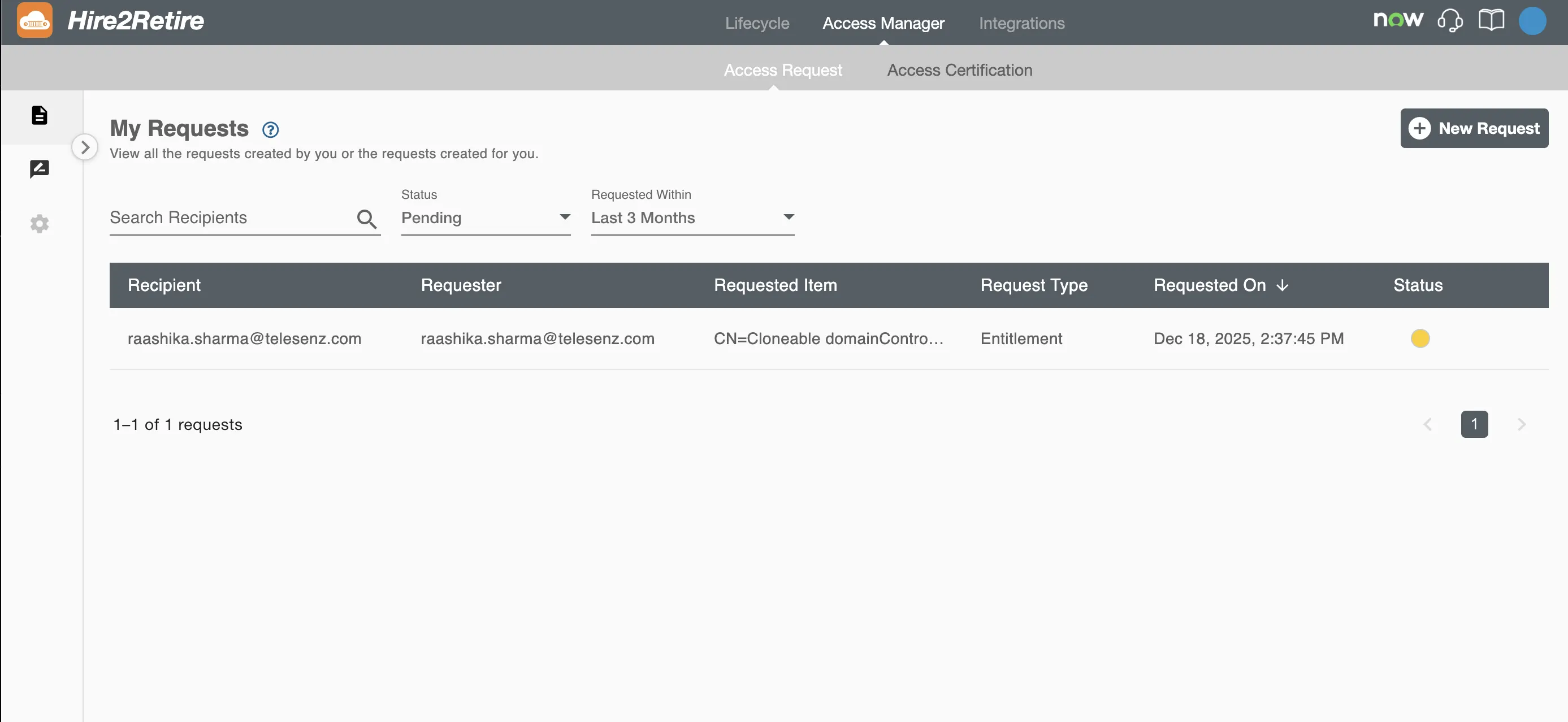
My Requests: Page to view requests created by or for the user and create new access requests.
-
Review: Page to review and act on requests assigned to the user. Admins and Editors can view and review all requests.
-
Configuration: Page to configure the Access Request feature, approvers, and catalog visibility.
Request Lifecycle
Each request progresses through the following statuses:
- Processing – Hire2Retire has received the request and is assigning reviewers.
- Pending – The request is awaiting review.
- Rejected – The request has been rejected by an approver.
- Approved – The request has been approved by an approver.
- Awaiting Fulfillment – The request has been approved and is waiting to be fulfilled
- Fulfillment Failed – The request could not be fulfilled due to some error.
- Fulfilled – Access has been successfully granted to the recipient
- Awaiting Revocation – The request is waiting for access to be revoked
- Revocation Failed – The access could not be revoked due to some error.
- Revoked – The access has been successfully removed
Hire2Retire sends notifications for key events in the request lifecycle when a request is created, approved, rejected, fulfilled, or revoked.