Access Request Configuration
You can configure and manage the Access Request feature from the Access Request Configuration page. Only Hire2Retire Admins and Editors can configure the Access Request feature.
From this page, you can enable or disable access requests, link an Identity Provider (IdP), define approvers, and manage the request catalog.
Linking an Identity Provider
Before configuring access requests, you must link your Identity Provider. You can select any of the existing IdP connections on Hire2Retire.
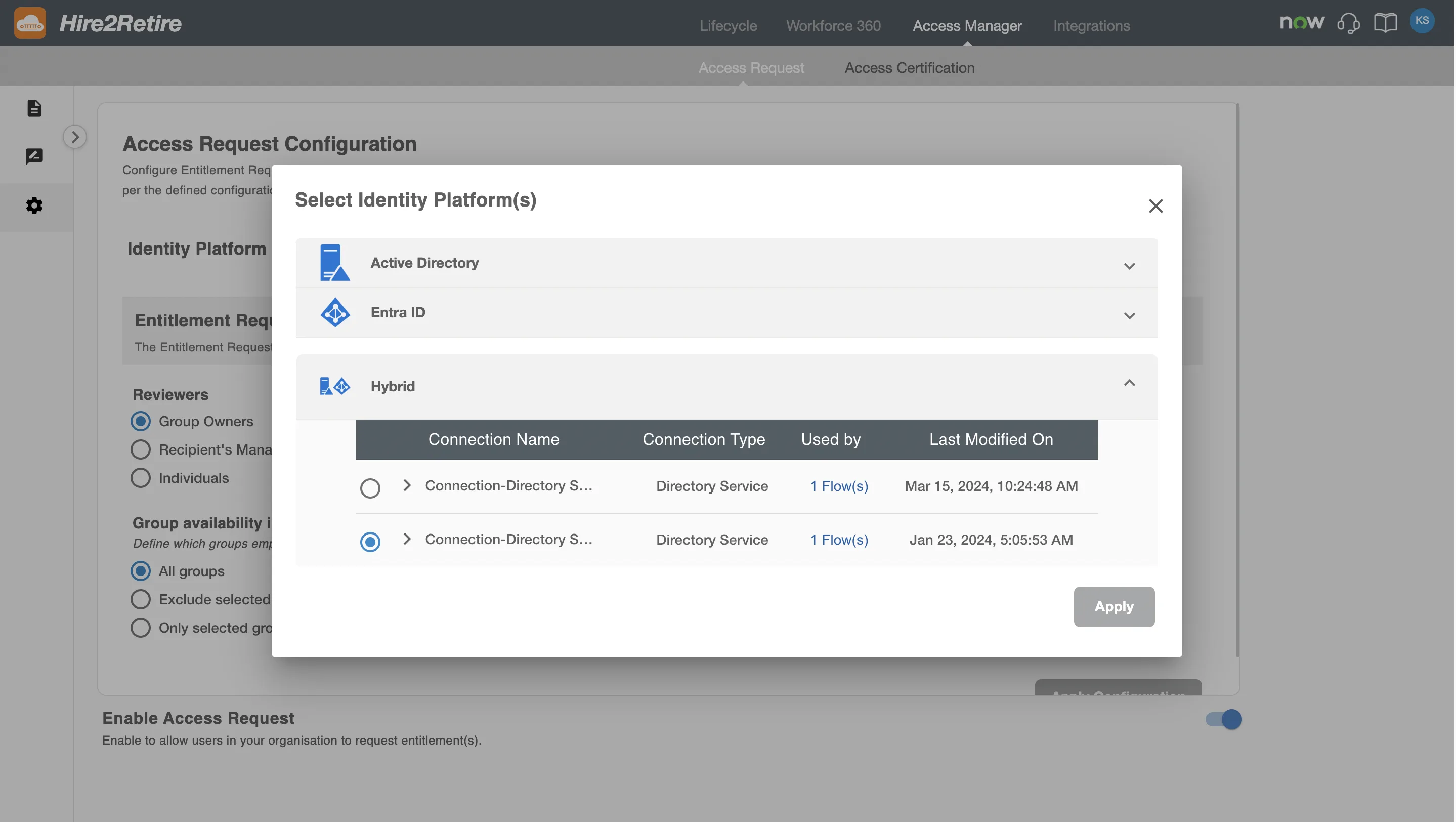
The selected IdP connection will be used to:
- Fetch groups available for requesting
- Identify group owners
- Fetch Reviewers and user details for Recipients
RoboMQ follows strict security and privacy standards. See our Security and Privacy Policies to learn more about how RoboMQ handles your account access.
Entitlement Request Configuration
This section allows configuration for the Entitlement Requests. The Entitlement Request allows employees to request group memberships. These requests are automatically fulfilled after approval.
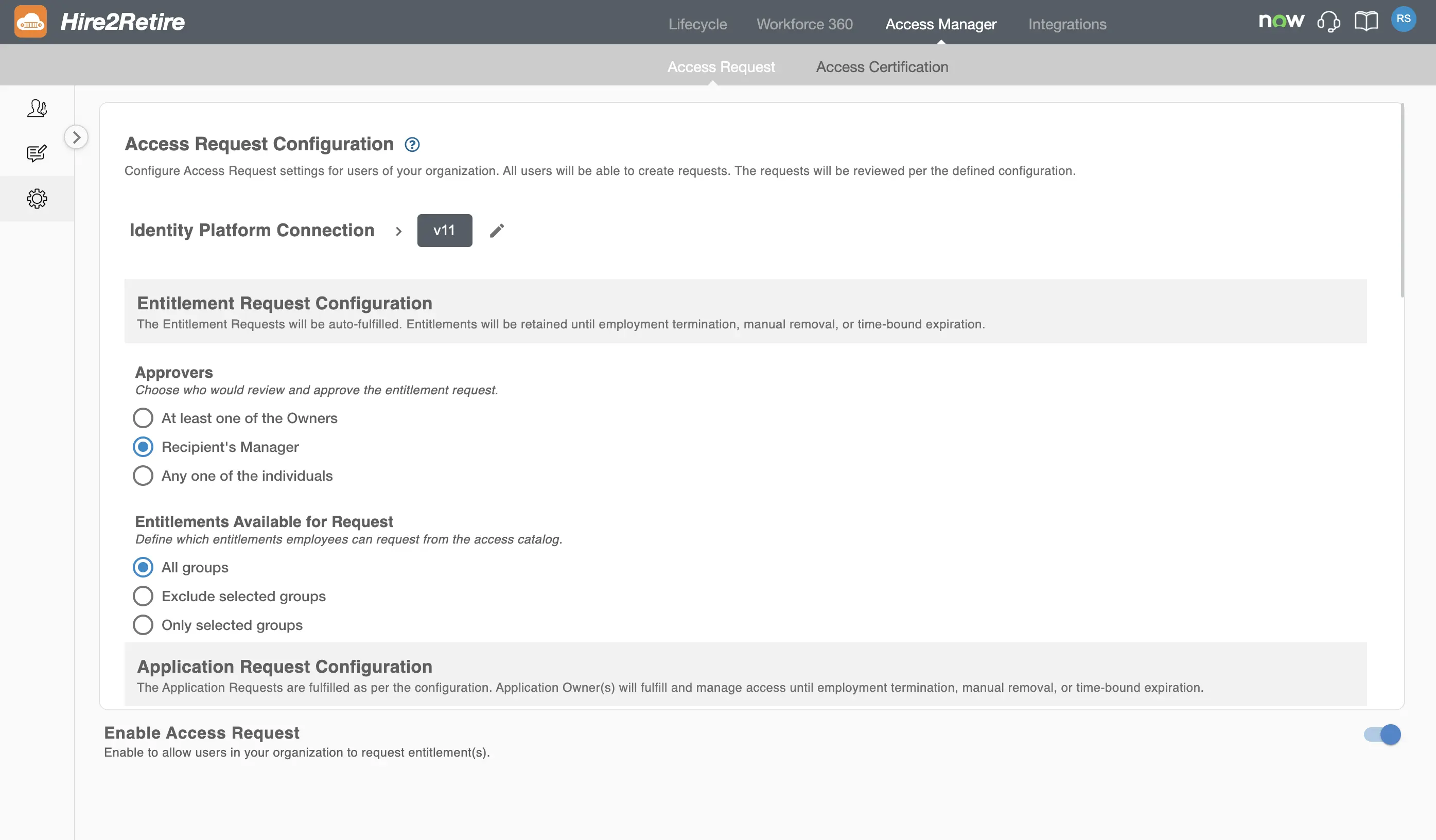
Entitlement Request Approvers
You can configure who can approve an Entitlement Request. The available approver options are:
- Any one of the Owners – Any one of the group owners of the requested group as defined in the IdP.
- Recipient's Manager – Manager of the recipient can approve the request.
- Individuals – Any of the specified individuals can approve the request.
Entitlement Catalog
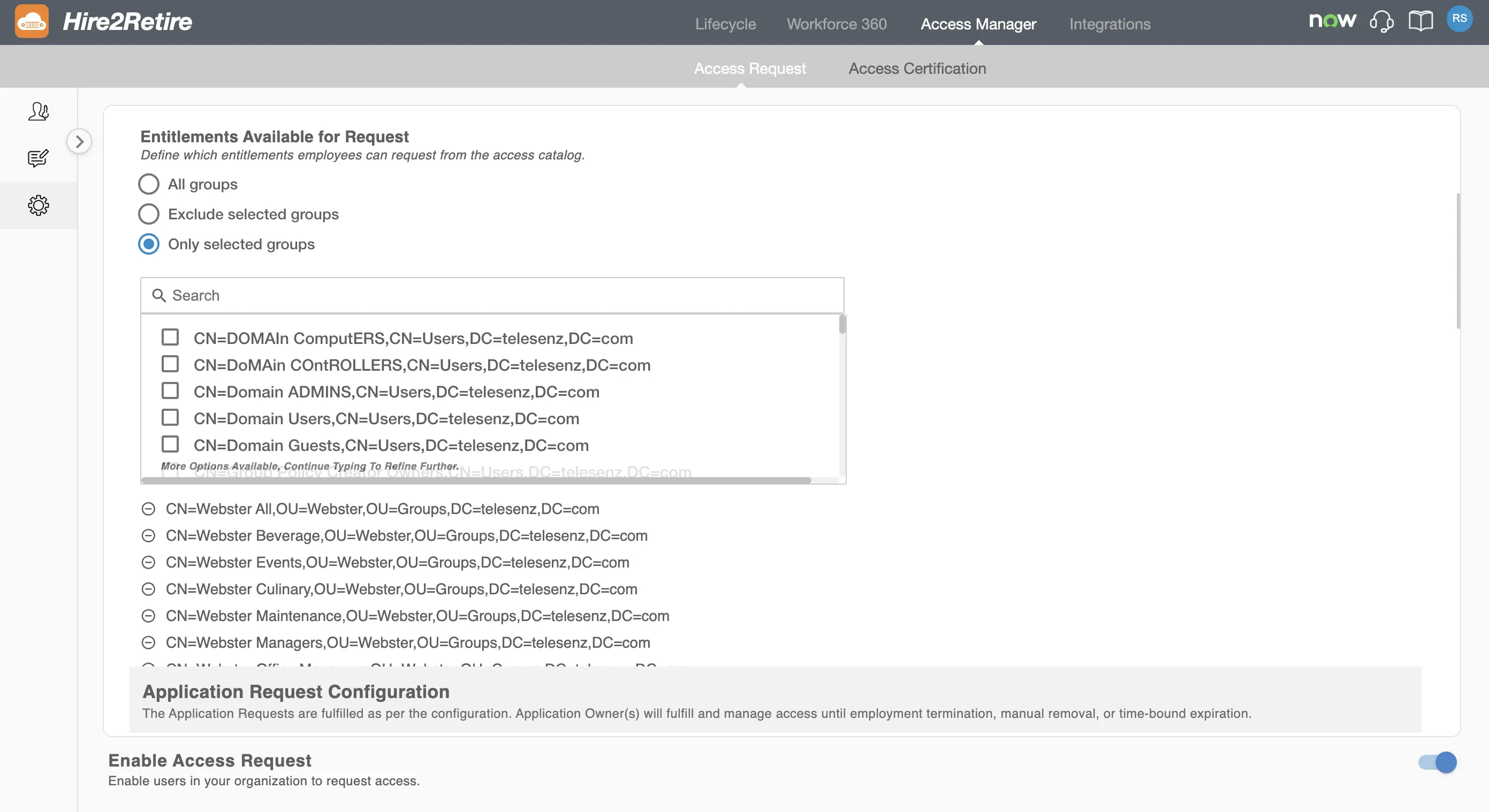
You can control which groups are visible and available for requesting.
You can choose one of the following options:
- All Groups: All groups are available for requesting
- Exclude Selected Groups: Selected groups are hidden from the access catalog
- Only Selected Groups: Only selected groups are available for requesting
This allows you to prevent users from requesting sensitive groups or to allow requests only for a specified list of groups.
All approved entitlement requests are automatically fulfilled by Hire2Retire. Access is retained until one of the following occurs:
- Employment termination
- Manual access removal
- Time-bound expiration (if a time limit is defined)
Application Request Configuration
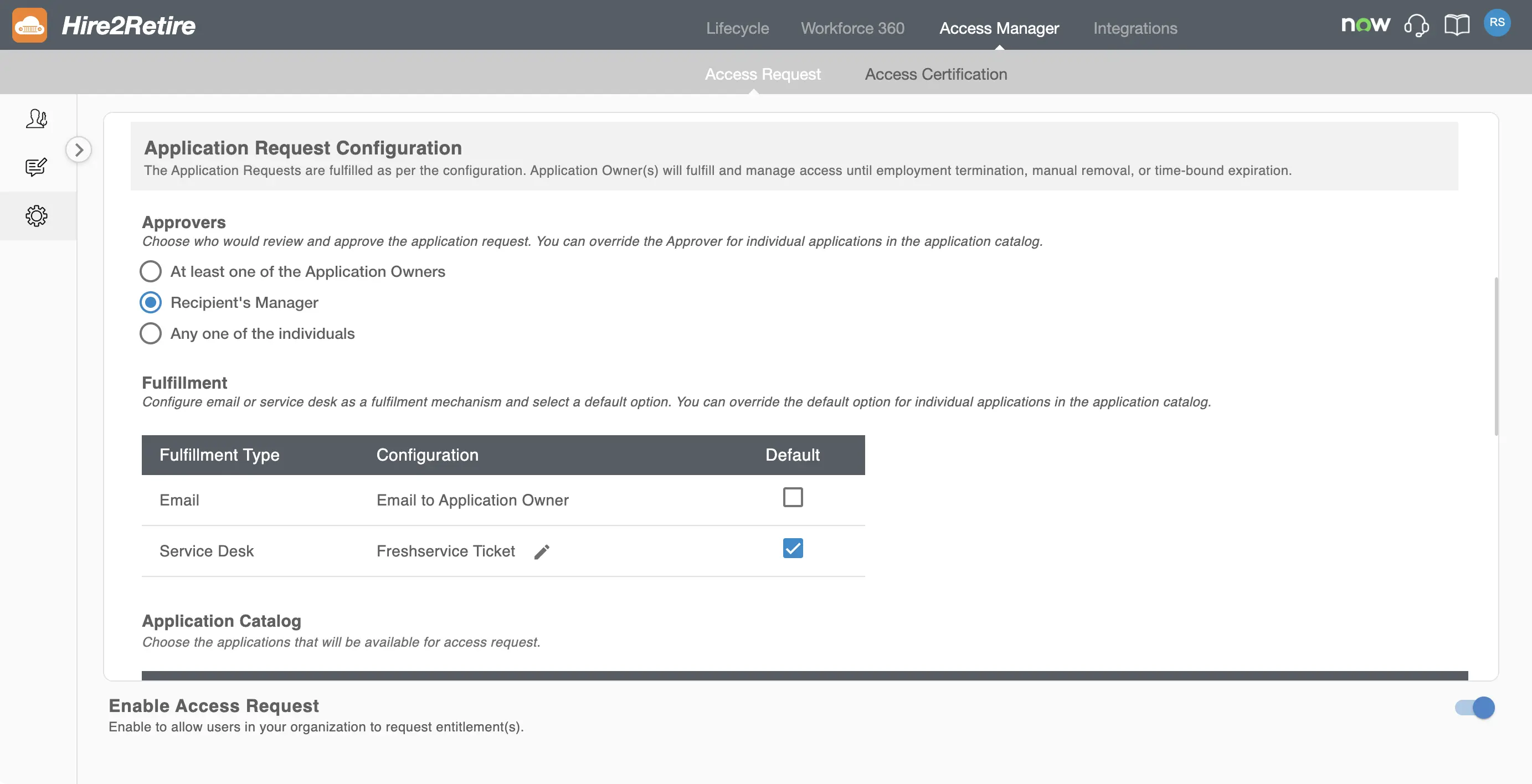
The Application Request feature enables employees to request access to applications listed in the application catalog.
Application Request Approvers
Admins can choose who can approve application requests. This configuration applies globally to all applications. The global configuration can be overridden while configuring individual applications in the catalog. Available approver options include:
- At least one Owner – At least one application owner has to approve the request
- Recipient’s Manager – The manager of the recipient has to approve the request
- Any one of the individuals – One approver from a defined list can approve
Fulfillment options
Application requests can be fulfilled using one or more fulfillment mechanisms:
- Email – Sends an email notification to the application owner
- Service Desk – Creates a ticket in the configured service desk system. The following service desk applications are available:
Admins can select a default fulfillment method, which can be overridden for individual applications if needed.
Application Catalog
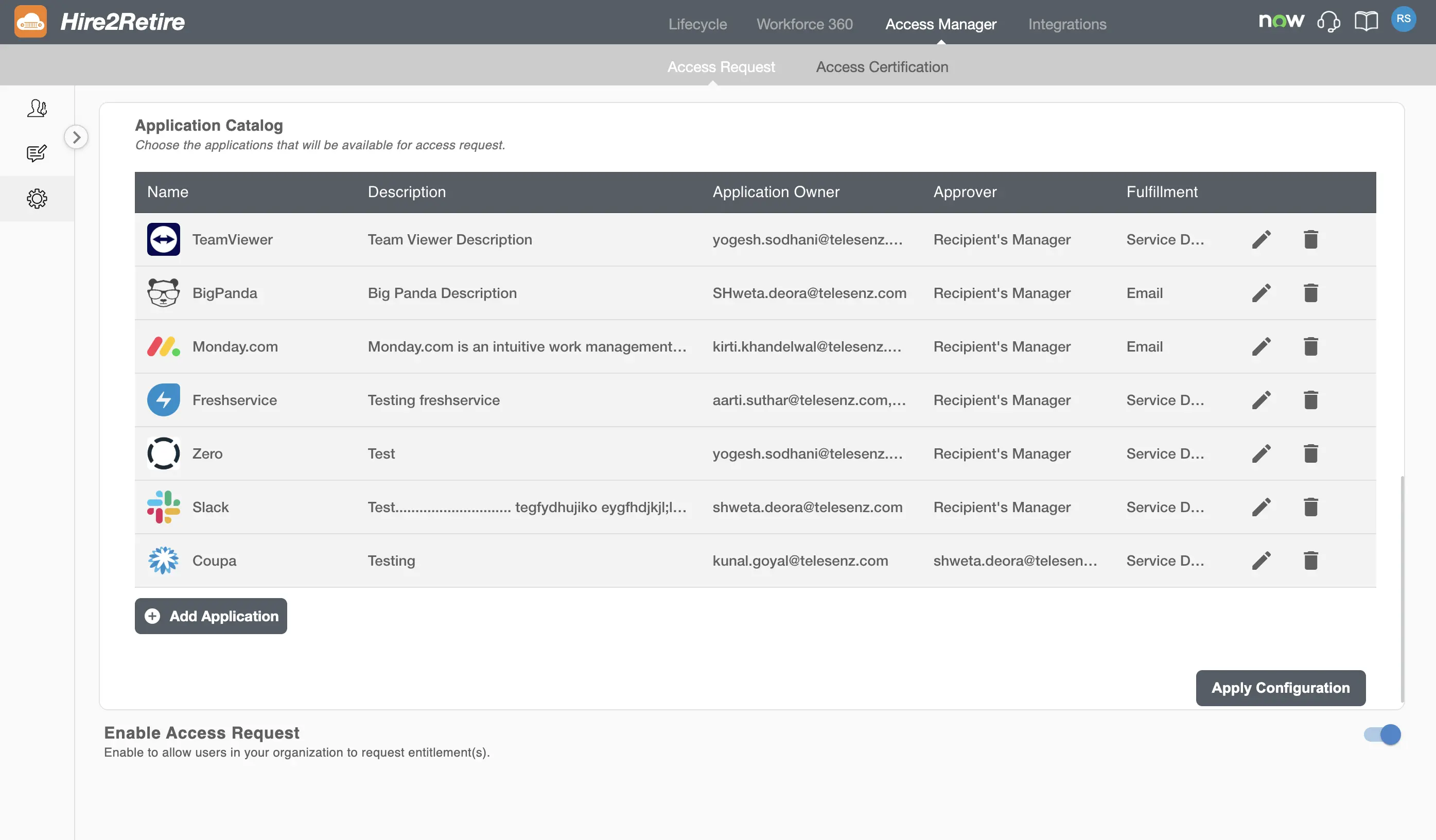
Admins can define which applications appear in the application catalog and are available for users to request. This ensures controlled and auditable access to business applications. Existing applications can be edited or deleted.
You can also add more applications to this list using the Add Application button.
For detailed instructions on configuring an application, see the Configure Application documentation.
Enable or Disable Access Requests
You can enable or disable the Access Request feature for your organization.
If you disable the Access Request feature, users in the organization won’t be able to create new requests. Approvers will not be able to approve or reject requests but can still view all existing requests.
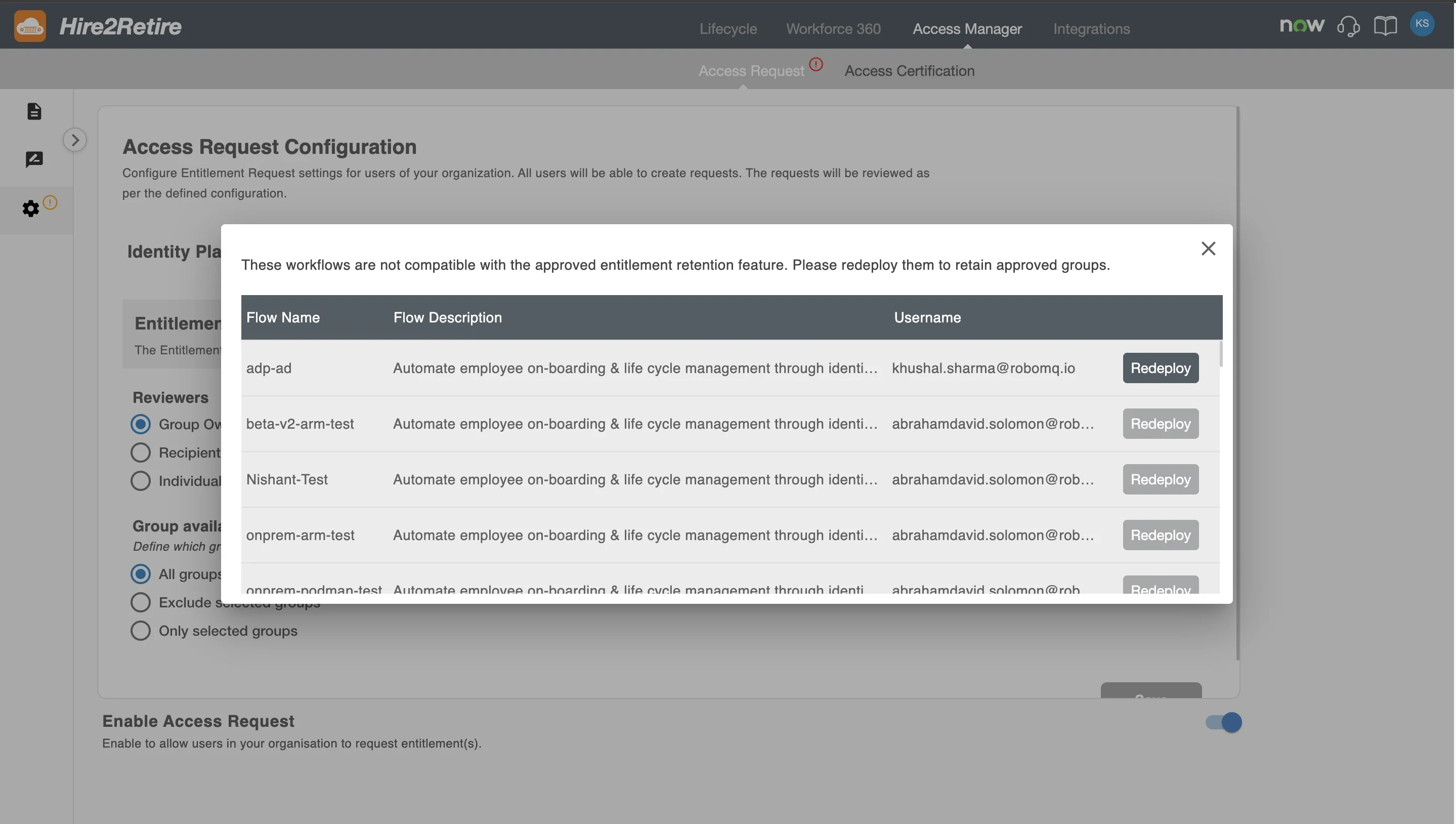
Workflow Compatibility Check
When enabling or updating the Access Request configuration, Hire2Retire validates existing workflows to ensure compatibility with approved access retention policies.
If one or more workflows are not compatible, you will see a warning message listing the affected workflows for that domain. You must redeploy these workflows to ensure approved access is retained correctly.