Access Request - Application Configuration
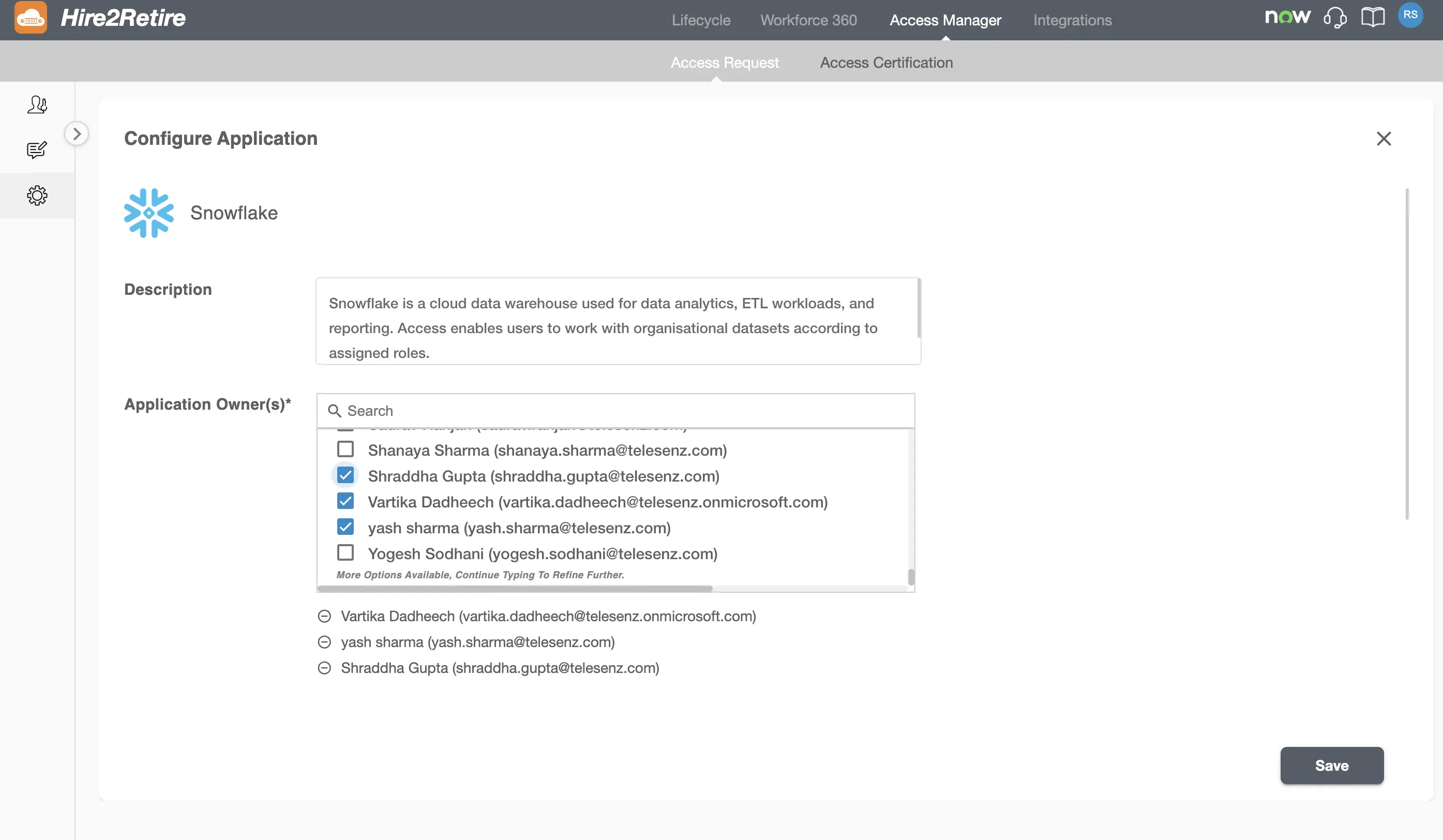
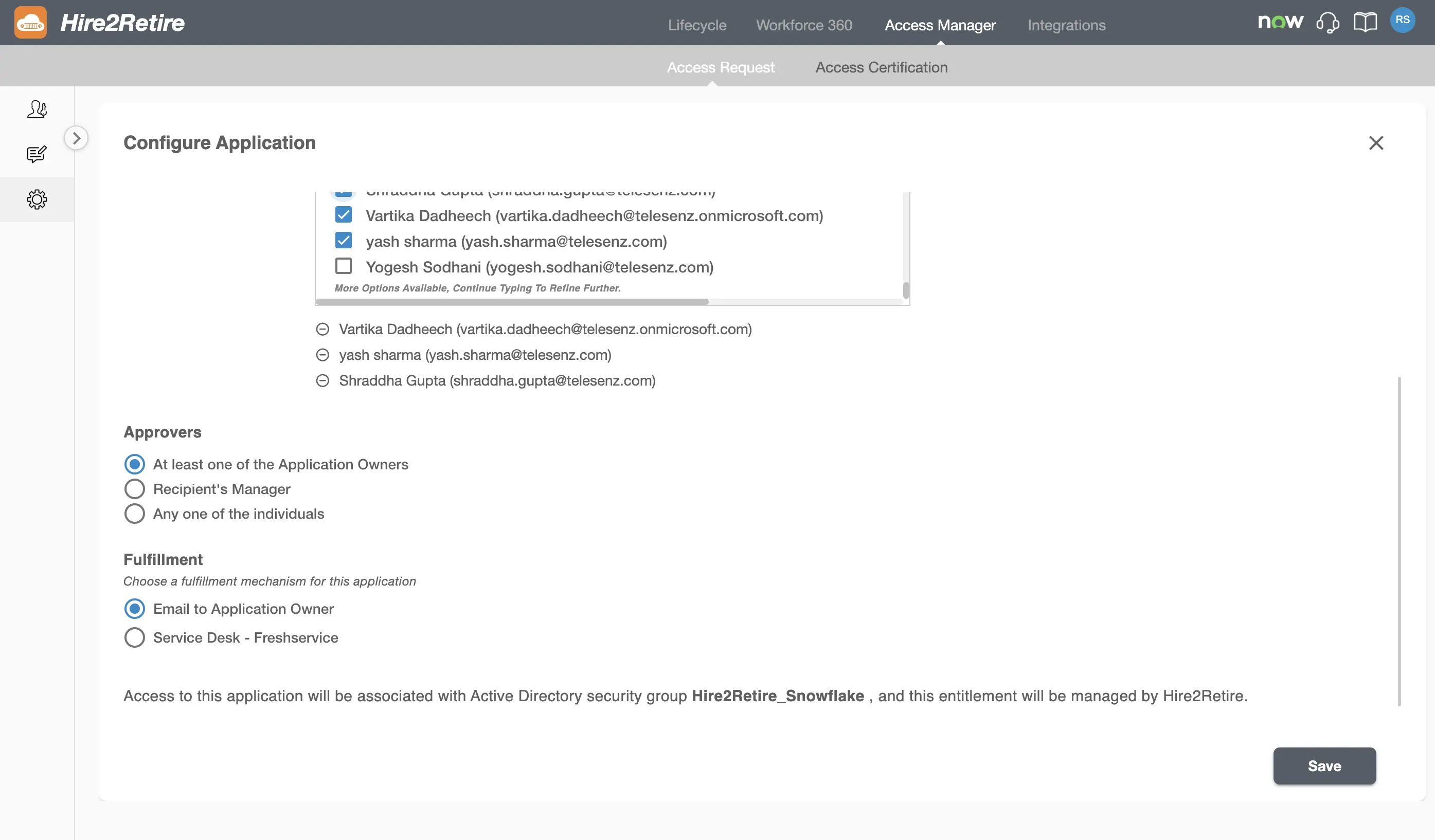
You can Add Applications to your application catalog from the configuration page. Each application can be configured independently to control how access requests are approved and fulfilled. Application configuration includes defining application details, assigning owners, configuring approvers, and specifying the fulfillment mechanism used when access requests are approved.
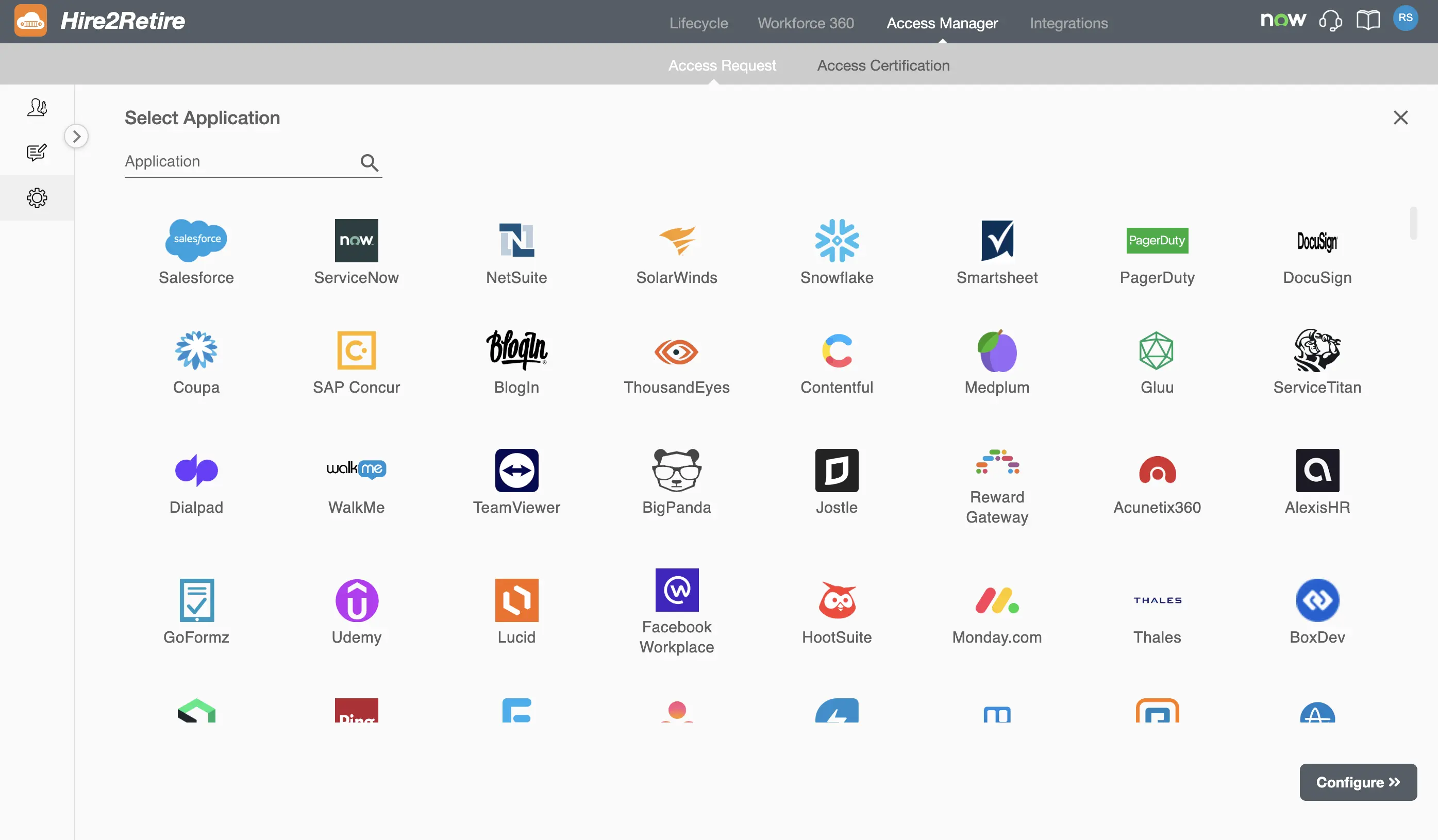
Configuring an Application
Selecting an application opens the Configure Application page.
On this page, you can:
- Add a meaningful description for the application. This description is visible to users during the access request process and helps them understand the purpose of the application before submitting a request.
- Assign one or more application owners for this application.
- Configure who can approve the requests for this application. Approver configuration similar to global settings is available for each individual application.
- Define how application requests will be fulfilled.
- Override approval and fulfillment settings inherited from the global Access Request configuration for each individual application.