Polling for BambooHR ATS to AD Integration in Hire2Retire
Full Load
Daily Pull
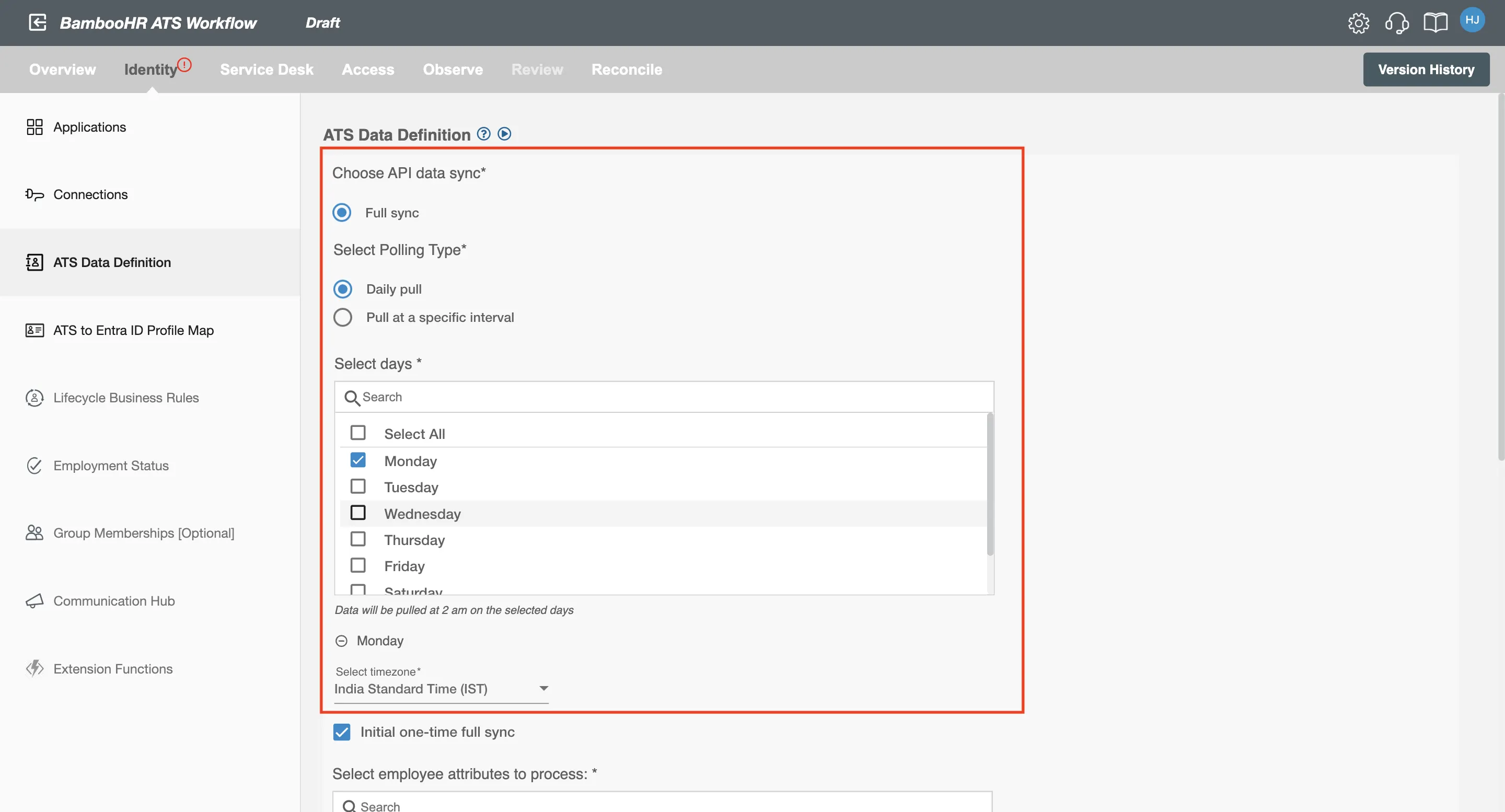
Figure 1. BambooHR ATS daily pull.
Here, you need to fill two fields:
- Select Days : You need to select the days on which the data will be processed. You can select a single day, multiple days, or all days.
- Select Time Zone : Here, you need to select time zone according to which you want to process the data. For example, if you select Universal Coordinated Time (UTC), then the data will be processed according to UTC timings.
Pull at a specific interval
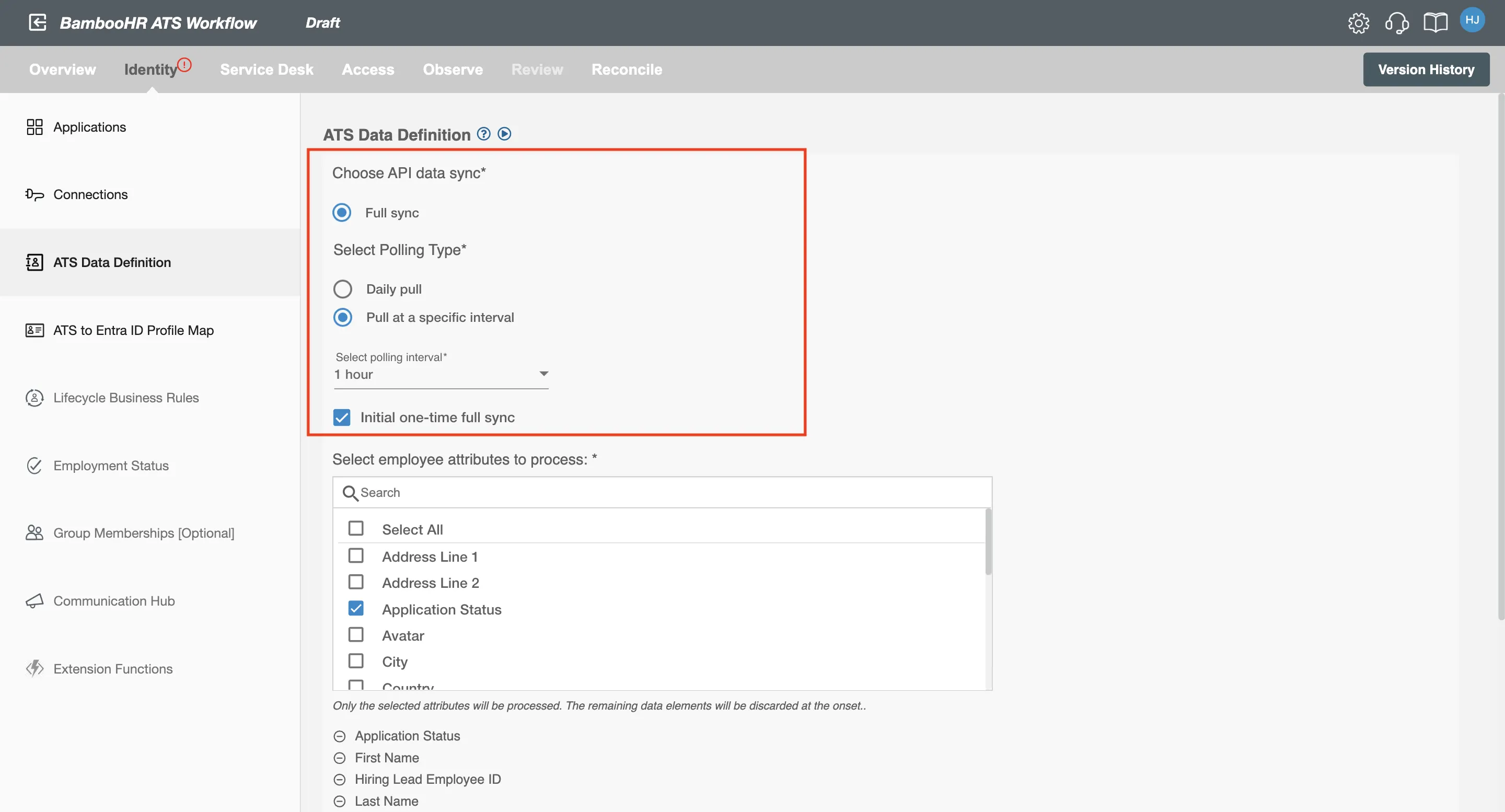
Figure 2. BambooHR ATS pull at a specific interval.
Select Polling Interval: This dropdown consists of the time intervals after which the data will be processed. You can select the required time interval from it to process the data.