Overview
Using the Provisioning on Hire2Retire you can provision and deprovision users on Cornerstone.
Read the official documentation of Cornerstone.
Define Provisioning Criteria
Provisioning Type
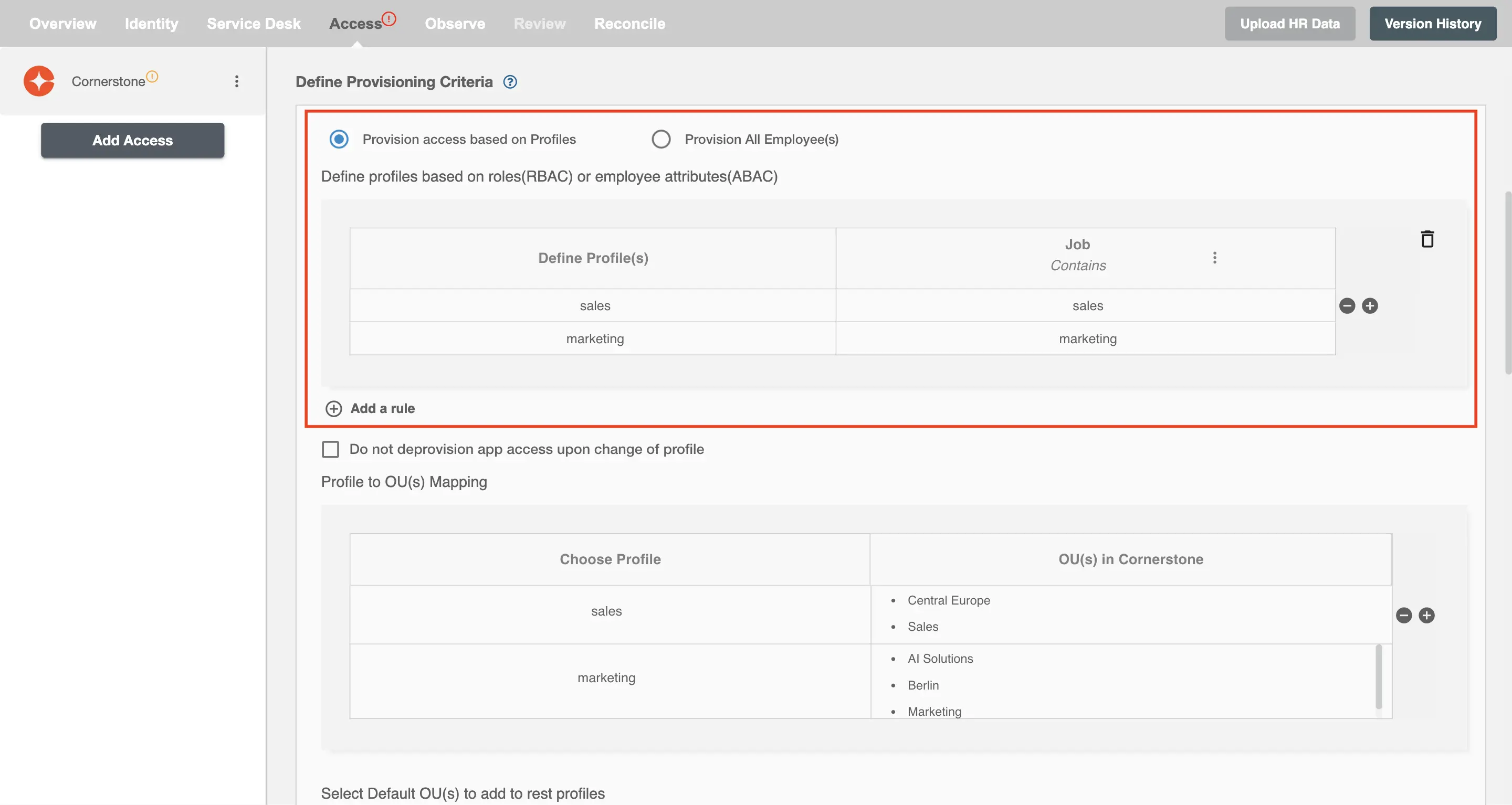
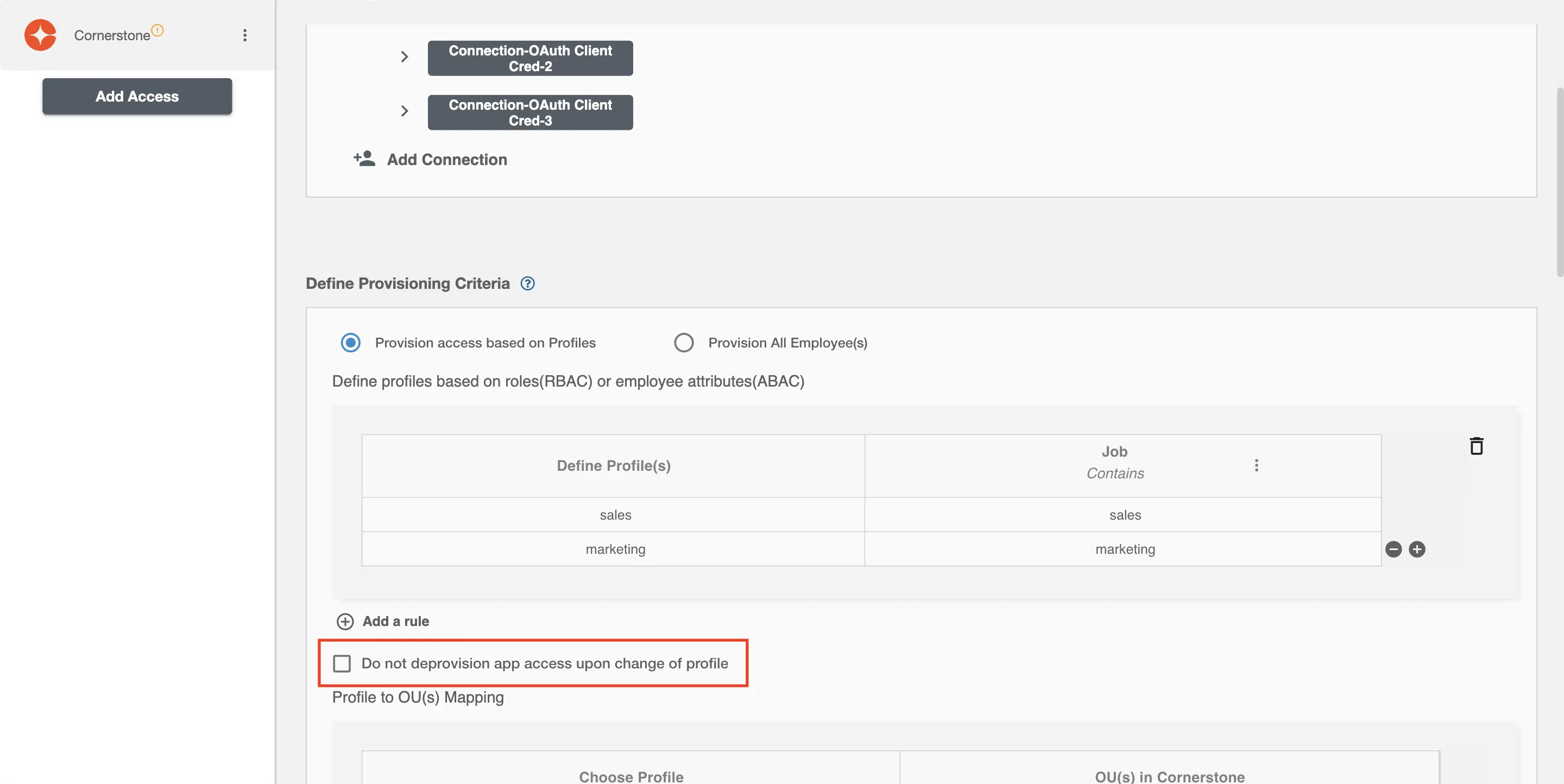
Provision access based on Profiles
You can assign a Profile to any user based on their AD and HRIS attributes. You can define complex conditions using AND and OR logic. You can also use the Group memberships in AD to define Profiles. For Example, in Figure 2, the profiles are defined on the basis of Department (Contains). If the profiles are passed then only user(s) will get provisioned. If no profile passes and the user(s) is present in Cornerstone then deprovisioning is performed for the user(s).
Map the above defined profiles to the corresponding OU(s) in Cornerstone.
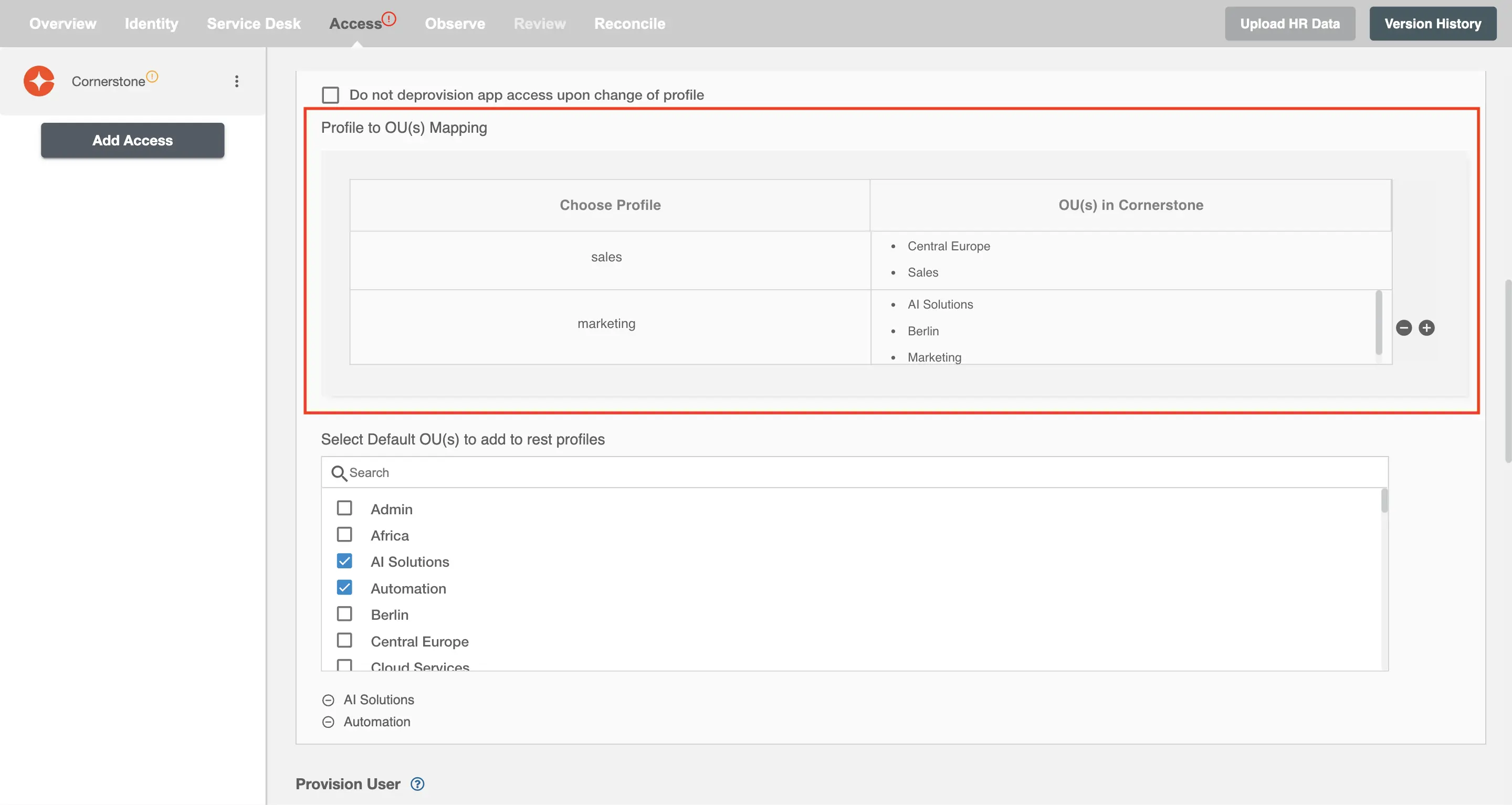
The default OU(s) will be assigned to the profile if no mapping is found in the second table for the same profile.
You can enable the "Do not deprovision app access upon change of profile" checkbox to prevent users from being deprovisioned on Cornerstone due to a profile mismatch.
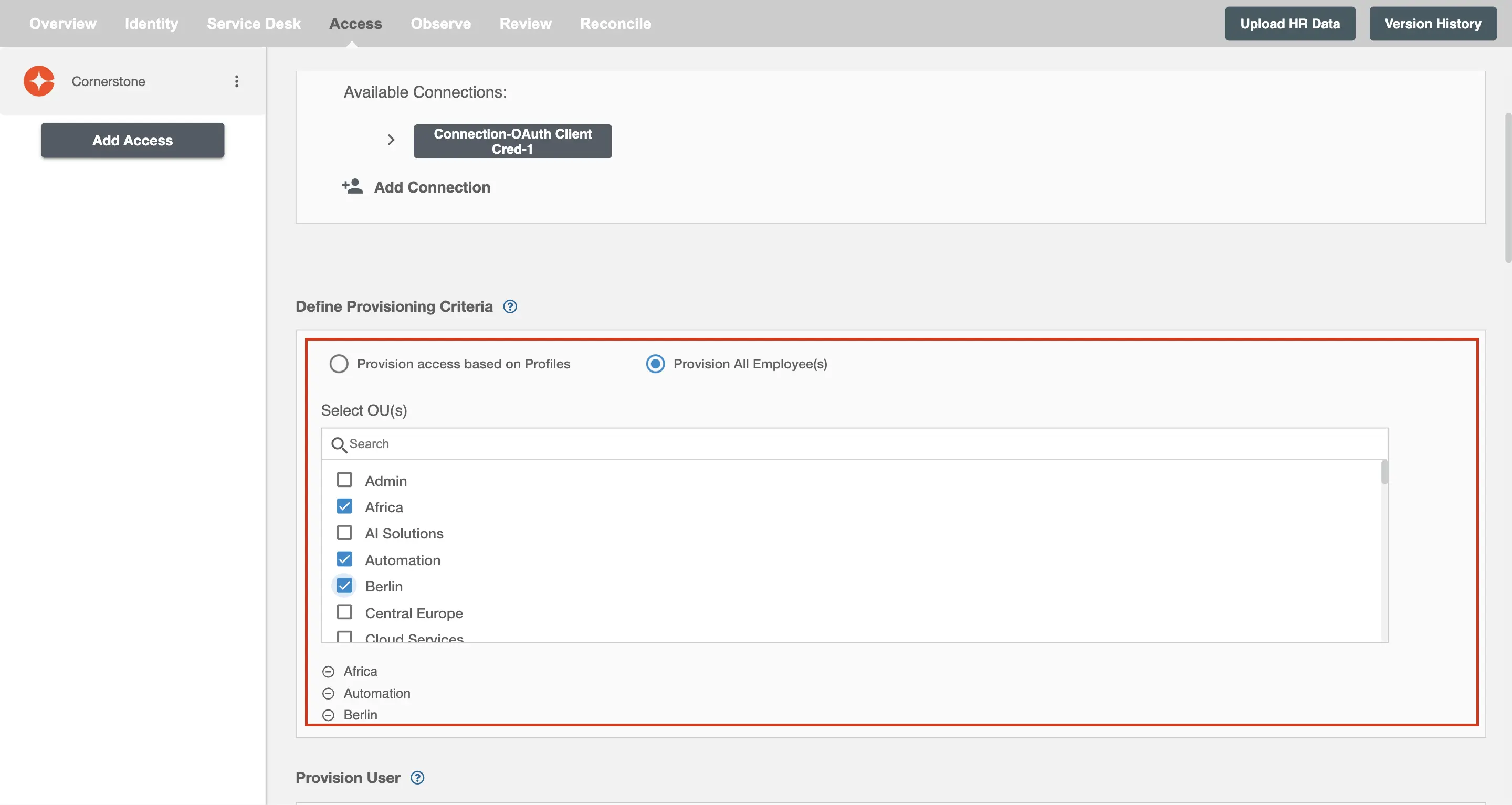
Provision All Employee(s)
All user(s) will be provisioned on Cornerstone.
Provision User
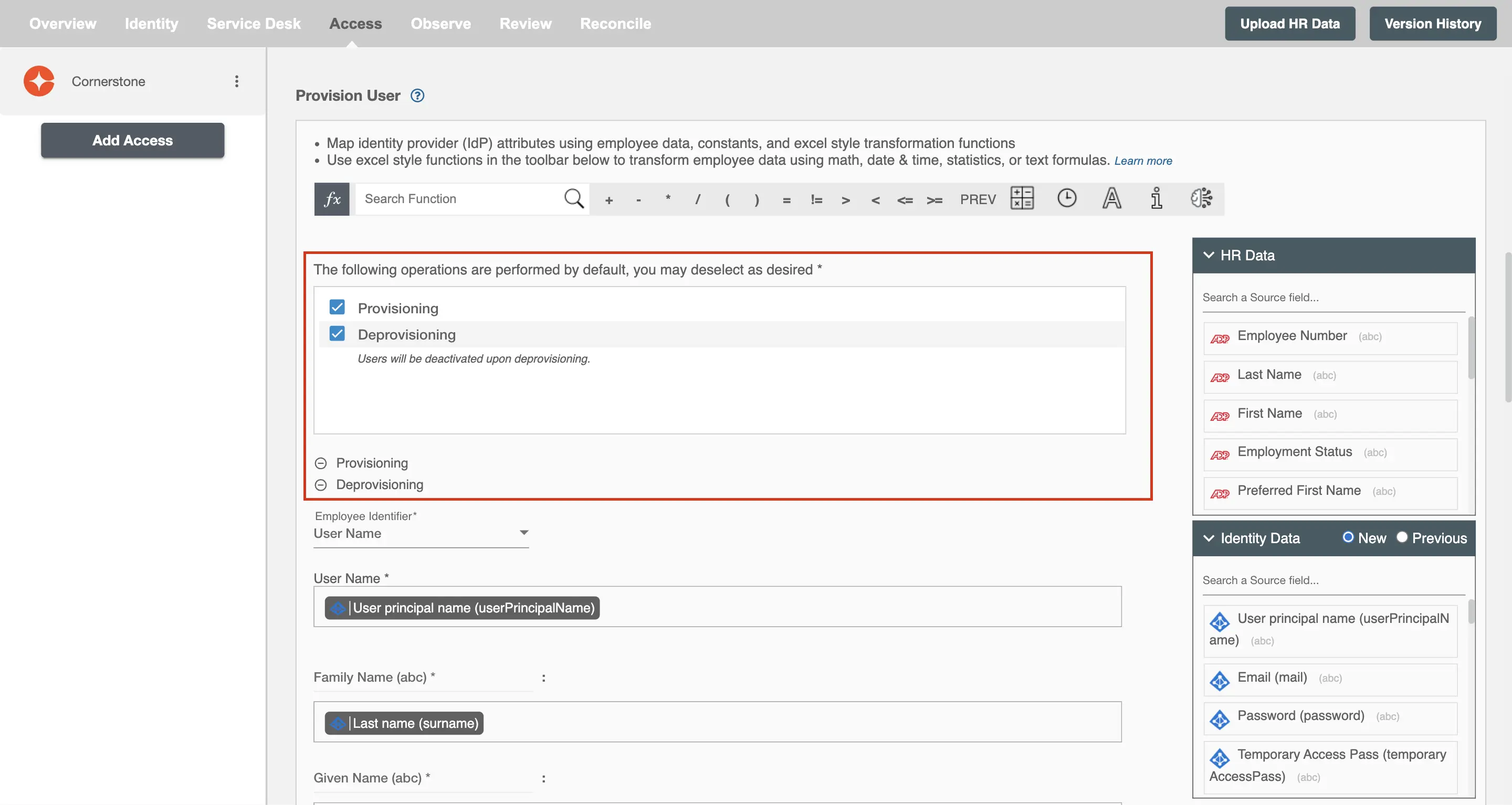
You can decide to either provision or deprovision using Access.
-
Provisioning - You can provision one or more user(s) to Cornerstone according to the requirement. User(s) can be created, or updated in provisioning operation.
-
Deprovisioning - You can deprovision one or more user(s) according to the requirement. User accounts will be deactivated on Cornerstone upon deprovisioning.
Map Attributes on Cornerstone
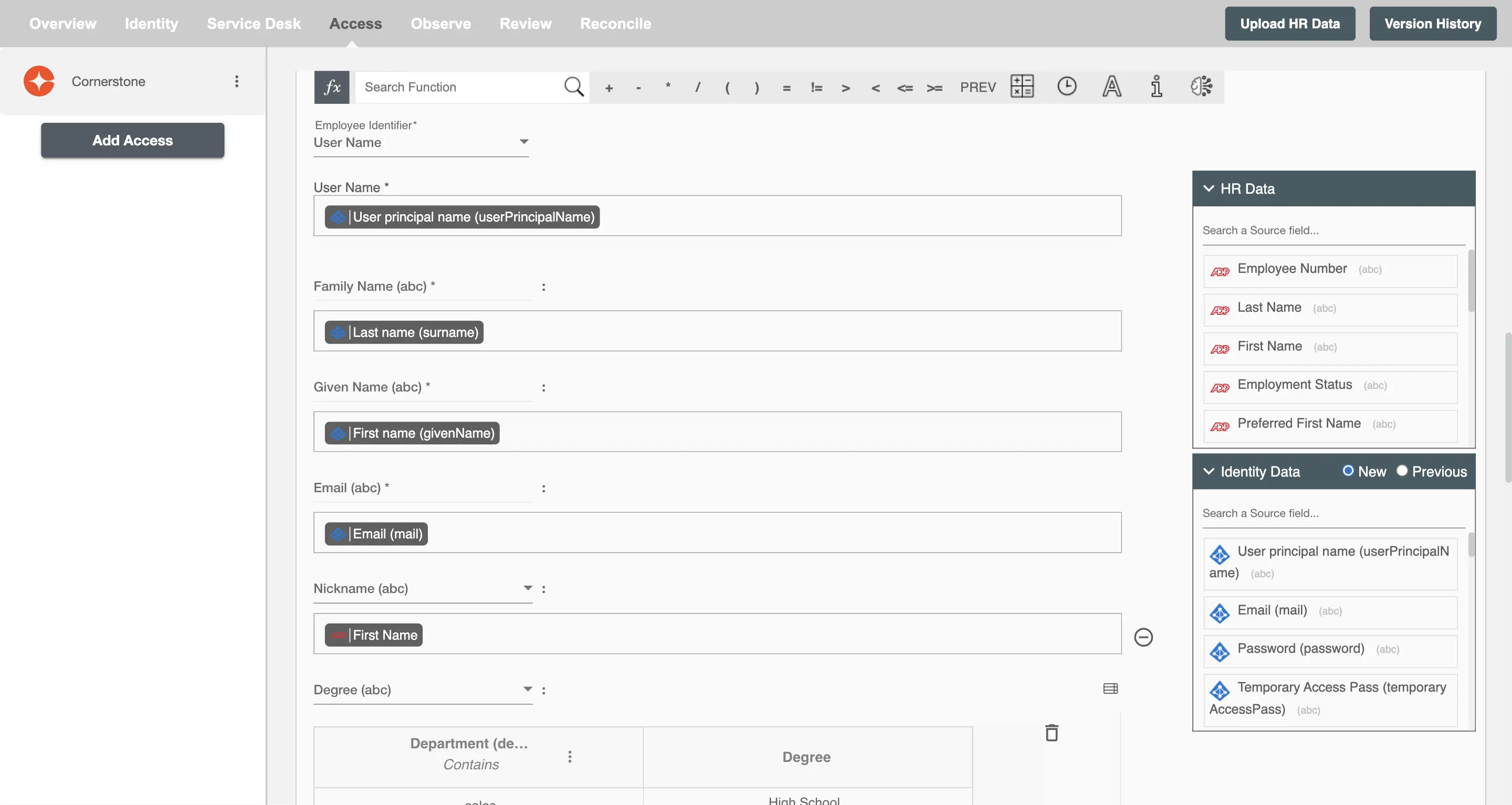
You can populate a user's profile in Cornerstone by mapping attributes incoming from the AD and HRIS. You can also use Hire2Retire's powerful data transformation capabilities using Excel Style functions.